Thread #7880688

File: thumbnail.png (20.2 KB)

20.2 KB PNG
>"What is /dbag/?"
A place where you can request or fulfill requests for brushes and other digital drawing assets regardless of the program.
>Publicly editable rentry for CSP assets.
https://rentry.org/CSP_materials
Feel free to contribute brushes you have purchased. Assets that have been deleted from the store are also welcome to be uploaded here.
>CSP assets store wishlist.
https://rentry.org/Brush_Wishlist
>"How do I request brushes?"
1.) Please check the CSP rentry and encoded external rentry first before requesting them in the thread.
2.) If they aren't there, then you should ask the thread.
3.) Post a link of the brushes you're requesting. It will make it faster for the anons interested in purchasing them for the thread.
>"What brush does this artist use?" / "What brush looks like this?"
1.) Search "brush (from:artisthandle)" or "assets.clip-studio.com (from:artisthandle)" on twitter if that's where they post mainly. Make sure to set it to the Latest tab to see the artist's tweets. Or use Nitter.
2.) Search brush posts on their Pixiv Fanboxes/Booth/Patreon. Then try to see if it's on kemono or archives.
3.) If none of the searches work, then ask here.
>"My CSP is cracked so I can't use the asset store"
As long as you log into the asset store it works even on cracked copies.
>"Are there other brush sets aside from the CSP ones?" / "Has this brush set been uploaded before?"
Check the archive. Chances are if it's popular some anon has already uploaded it.
>"What brush is in the OP picture?"
Brush in the OP pic is in the deleted CSP assets page in the rentry. (ID:1765797)
Previous: >>7822851
257 RepliesView Thread
 Showing all 257 replies.
>>
File: 1763086536770557.mp4 (668.9 KB)

668.9 KB MP4
https://assets.clip-studio.com/en-us/detail?id=2223030
does anyone have this figure? i found a showcase of it a long time ago, and seems like it's the same one
>>
https://assets.clip-studio.com/en-us/detail?id=1690055
this brush feels amazing to draw with. i love that it responds to pressure so well, does anyone have anything similar? other brushes like this i enjoy are
>juju line
>krusty pencil
>>
>>
>>
>>
File: dfgfdgdfg.png (1.2 MB)

1.2 MB PNG
>>7880688
Re-posting, since these were just uploaded
aHR0cHM6Ly9nb2ZpbGUuaW8vZC9TcHdIQ3k=
>>
>>
>>
>>
>>
>>7881185
itzmx, and no, I checked in tria.ge and there's no malware in the patch itself that were detected (only in reuploads of the patch). just a password you have to enter in the newer releases every day. there's a patch for 4.20 already out
>>
File: IMG_1113.png (171.6 KB)

171.6 KB PNG
how can i recreate this incosistincy in a brush in csp/procreate
its the Ps style brush from csp but it suddenly stopped doing that
(as in, the middle is pretty thick but the ends are thin)
and now it just draws like a normal round brush:c
(included in part 2)
>>
File: hjghjgkjg.png (24.2 KB)

24.2 KB PNG
>>7881376
opacity is also fucked
>>
>>
>>
File: IMG_1137.png (183.1 KB)

183.1 KB PNG
>>7881376
>>7881378
>>7881379
fixed it mostly by tweaking the brush like dis
>>
>>
>>
>>
>>
>>7881352
I use Beeftext to insert the password when I type "apppass" so I don't have to keep opening whatever I'd have it saved. I thought I'd say it since I saw an anon complaining about the long password in a previous thread.
>>
File: examples.jpg (190.4 KB)

190.4 KB JPG
Can someone help me with making a brush?
I'm trying to copy this brush but I can't it right. It's supposed to be blurry, soft, and low opacity when large but sharpens on a smaller size. I don't know if it's the tip or if it's the pressure settings. The generic hard round brush material's too hard, but the circle tip's too soft.
Anyone have an idea on how to mimic this thing? It's driving me crazy.
>>
>>
File: 1753670199388731.png (48.3 KB)

48.3 KB PNG
>>7881805
i dunno i just don't get it. what does this curve tell you?
>>
>>
File: GyVgzota4AIUHt1.jpg (114 KB)

114 KB JPG
>>7880688
OP you forgot to post virus
Virus link. Do not click if you don't want viruses:
Ukc5dUozUWdjMmhoY21VZ2IzVjBjMmxrWlNBdlpHSmhaeThnYUhSMGNITTZMeTl5Wlc1MG Nua3ViM0puTDBOVFVGOUZlSFJmVFdWdmR3P T0=
If a link is down please inform the thread so that rentry-anon can fix the link. In the meantime, use the backup link located at the bottom of the page.
>>
>>
File: 1771221261234441.png (23 KB)

23 KB PNG
>>7882961
It tells me this: fast transition from light to hard pressure, and hard to keep consistently the same light or medium pressure.
X axis is the "power" you are using with your arm.
Y axis is what "power" you get in output.
Let's say you are using 25%. Draw a vertical line.
As soon as you cross the curve, draw an horizontal one. You found the result to be around 75%.
>>
>>
>>

>>
File: Screenshot (231).png (52.3 KB)

52.3 KB PNG
Looking for this brush called sketchy cool 2. I just want to know if it is in a pack. I took this screenshot from combos-n-doodles stream
>>
>>
>>
>>
>>
>>
>>
>>7884344
>>7884364
I'm going through the whole rentry and downloading the ones that seem most useful. I already have 50 brushes and am still only halfway through page 2.
These are the brushes that seem the most useful / higher quality:
HiBipencil (170k dl) *
Pencil Bush by gugu81 (65k dl) *
sketch_MO by YJOY *
Yotti Pen Lantern (180kdl) (free) *
Lazy Brush by Haku (1708873, 1.6mdl) (free) *
Neon Pens by TsumeUri (1722368) (640kdl) (free) *
Sleek Sketch Brush Set by Ume Tanaka (77kdl) *
[1836342] Sky gradients for all occasions *
15 palettes of skin (1806697) *
Pencil that fades nicely by Kongarikakao (7kdl)
Color pen (1902583) (300kdl) (free)
Meka Sharp Anime Paint (3kdl)
Clothes Blur Brush by Charitra Gupt (6kdl)
Retro processing filter (gradient map, 1687209)
Starry Brush (1444488) (700kdl) (free)
Cloud brush set (1723992) (730kdl) (free)
Cloud brush part ii (1470324) (420kdl) (free)
Diamond Crystal Brushes (1788949) *
Eight Jewel effect brushes (1925785) *
Gleam Pikakira Hitomi Pack (1904166) *
[1931903] Eye highlight Brush
Sunlight brushes (1610988) (free) *
Hair Highlights Mega Pack (1826539) *
[1941724] More Highlights (きらハイライト) *
Gleam Sarakira Hair PACK Ver.1 / Ver.3 (1893712, 1976225) *
(20 Hair) Highlight Brushes (2005122)
Color Hair Highlight Brush (1761066)
Hair Gloss Brush (2008355)
Pantyliner Hair Bundle Pen (1855004) *
Pantyliner cation Wrinkle Brush (1999995) *
Bushes brush (1744308) (free) *
Ornament ribbon brushes (1727628) (free)
Uniform decorations (1720377) (free)
MUGENUP Special Chain brushes (1644548) (free) *
>>
>>7884431
Scratch Brush (1834154)
Glitter brush for skin (1853539)
Skin Highlight Brushes (1751214) *
Tights pen 2 (1816028) (free) *
White Liquid Brush (1671340) (free)
Elemental Magic Brush Set (2074775)
Automatic Speed Blur (1989356) *
Basic Cloth Texturizers 1/2/3 (2082059, 2097187, 2097521)
15 types of hatch-like brushes (1892996) *
Rain Brush (4kdl) (1702272)
[1744323] rain brush in one minute (150kdl)
Brush that can draw AO (2107836)
Raku Light Brush (2108907) *
Light ray brushes (光線ブラシ) (1751963) *
>>
When a brush set gets updated, do you get the new version for free or do you have to buy again?
If free, then it would be cool if the one who bought "Lace Border Pack 1.1" uploaded the newer 1.3 version. This pack looks pretty useful for intricate patterns that could add a lot of charm to female clothes.
>>
>>
>>
>>
>>
>>
File: 1.png (199.5 KB)

199.5 KB PNG
https://x.com/toranoin00/status/2021090425235476783
anyone possibly have drawing pen - JTJ or soft side (verehin)?
>>
File: HBsQ7noaUAEvP1-.jpg (228.7 KB)

228.7 KB JPG
Does anyone know something brush that can do something like picrel? Might not be a good example but what I'm looking for is a single brush that does thin lines and blending without switching things around in the brush options
>>
>>
>>7886567
>>7886648
This is one (it's in the rentry):
https://lack.booth.pm/items/4715044
This is another one:
https://assets.clip-studio.com/en-us/detail?id=1708873
It's not in the rentry but it's free. It has 1.6 million downloads.
>>
>>
>>
File: marker 94.jpg (468.8 KB)

468.8 KB JPG
request this brush please > https://elements.envato.com/marker-brushes-LQ9AMTC
>>
>>
File: 7d82a2ae2d46dc02bedb97b90c7ef4f6.png (482.1 KB)

482.1 KB PNG
this might be a wild pull, but does anyone know what brushes NOCO uses for their art?
>>
File: GL1lY4paoAA2pIU_11zon.png (1.2 MB)

1.2 MB PNG
Does anyone know of a brush similar to this? The artist said on Twitter that they use the ‘default pencil brush’ in CSP, but I can’t seem to get a similar line, especially when it starts losing opacity. It’s probably a draftsmanship issue on my end, but I’d like to rule that out
>>
>>
>>
>>
>>
>>7887675
to me it seems like it is the default mechanical pencil brush, you just have to pay attention to your pen tilt (or just disable it) and draw over the line a couple times to build opacity as you would a real pencil
>>

>>
File: G8915PMWMAEu3f7.jpg (892.9 KB)

892.9 KB JPG
Does any anon have this brush pack?
https://ko-fi.com/s/ff8a471419
>>
>>
File: line.png (415.7 KB)

415.7 KB PNG
>>7887850
Thank you for the response. I tried disabling tilt and building up the line, and it’s the closest I’ve gotten to the original line so far. It’s probably just a matter of keeping at it and getting better. I also tried sketching with the base mechanical pencil and then going over it with a darker pencil that has a cleaner line, but I didn’t quite like the final result
>>
>>
>>7880688
Does anyone have the Clip Studio 3d reference poses, the ones with mannequins? I need the sexual poses. There are tons of them; I know an anonymous user posted them in previous threads. Please, if anyone has them, upload them. Thanks.
>>
>>
I'm going to buy 2008355 in the brush wishlist. The brush wishlist is still not updated to include my past uploaded assets (either that or I forgot to even post my bought assets to a thread), so I'll post the encrypted links for those again soonish.
>>
File: 1769752469294809.jpg (91.8 KB)

91.8 KB JPG
I am once again asking if anyone knows what brush ethan becker uses, if anyone recognizes this stamp.
https://youtu.be/FxoTwEdbbgQ&t=155
It's not any default photoshop one.
>>
>>
>>
>>
>>

>>7881185
Any game-changing features for the latest version? I've been using 1.0 for a while and it gets the job done just fine, but after half a decade I'm curious if there's something that makes it worth buying/pirating.
>>
>>
File: VVDS Realistic Marker Studio • Brushes Demonstration - YouTube - Opera 25_02_2026 21_51_29.png (910.9 KB)

910.9 KB PNG
does someone have this set?
also his watercolor set link on the rentry is broken
>>
>>
>>7888198
https://assets.clip-studio.com/en-us/detail?id=2008355
aHR0cHM6Ly9waXhlbGRyYWluLmNvbS9sL0poR3luVHNT
Okay so I just figured out that pixeldrain files expire, so, that fucking sucks,
I'll reupload 2036724 and 2121689 soon(tm). Should I use something other than pixeldrain?
>>
>>
>>
>>
>>
>>

>>7882926
Anyone have luck with this? I still can't get it right...
>>7888245
The closest I could find was one of those old 'oil brushes' from a Photoshop brush pack. The preview looks slightly different on CSP though so I might be off. Not sure how 4chan does with PNG transparency alpha so if it doesn't work, download it from PixelDrain:
aHR0cHM6Ly9waXhlbGRyYWluLmNvbS91LzIyeFZOYlJW
>>
File: stamp-unresized.png (565 B)

565 B PNG
>>7888979
>>7888245
Use this one instead. When I exported the first time around, the image got resized so the brush was changed slightly from the original. This is the original version of the stamp. Here's the PixelDrain link too:
aHR0cHM6Ly9waXhlbGRyYWluLmNvbS91L1RFNGJkeVVD
>>
>>
>>
File: IMG_9101.png (241.4 KB)
241.4 KB PNG
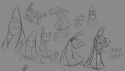
looking for something like the drawpile brush PumpkinCreampie uses for csp or procreate
>>
>>
>>
File: wc pen.png (81.1 KB)

81.1 KB PNG
Does anyone have this the DL is down
>>
>>
>>7889531
i mean you can just make any brush do that by adjusting the settings and procreate comes with a few like that by default
but i like the sinix dry brush, it works better in painter but his procreate remake of it works fine
>>
>>
File: Screenshot 2026-03-01 002714.png (225.8 KB)

225.8 KB PNG
>>7888979
>>7888245
Here is my recreation, i guess i will make more like these and make another series like grain pencils
link - https://files.catbox.moe/9i3gl4.sut
>>7882926
i will try recreating this later
>>
>>
File: Screenshot 2026-03-01 185643.png (252.2 KB)

252.2 KB PNG
>>7890639
here I made this for Photoshop too,
Link - https://files.catbox.moe/mbowlb.abr
have fun
>>
>>7890272
Very nice!
>>7881138
>>7889155
Kind of lame how these brushes are just the Real G-Pen and the Texture Pen but slightly altered. It's not even dramatic, all they did for one brush is just get the Texture Pen and increased Hardness to max and that's it. For 6 USD, this is a joke but still appreciate the upload.
>>
>>
>>
>>
>>
>>
File: 0462a69861a449e4ce891bbe08f53c8c.jpg (54.7 KB)

54.7 KB JPG
I need to know if this is possible: an eraser tool that erases brush a but not brush b on the same layer. Like how an eraser erases pencil but not ink.
>>
File: file.png (13.8 KB)

13.8 KB PNG
i've been using this brush for so long, but my csp decided to revert back to default settings, and every brush i've used was deleted. i couldn't find it in my downloaded as well. does anyone know what brush that was? sadly, i only have a cropped screenshot of it
>>
File: file.png (48.7 KB)

48.7 KB PNG
https://assets.clip-studio.com/ko-kr/detail?id=2250480
Requestan
>>
File: kabb.png (1.2 MB)

1.2 MB PNG
Once again requesting this brushset https://kabbageudon.gumroad.com/l/brushpack2?layout=profile
>>
>>
>>

>>
>>
>>7897171
You can for a long time now. You can also just have a brush that automatically goes straight no matter how gay your strokes are. And draw using basic rulers or perspective ruler. There's also the normal object tool that allows you to just draw straight lines by dragging. CSP 5 now has the Procreate function to draw perfect straight lines even if you have Parkinson by drawing and holding.
https://www.youtube.com/shorts/L5fgWaOUrxw
>>
File: file.png (130.8 KB)

130.8 KB PNG
>>7896455
I don't think so.
It looks like any generic concept art brush, i can't find the exact copy because the image you posted is too low res but the closest i could find is from Yuming Li's "Newly Added Brushes" (should be in rentry/kemono) the very first brush with just the spacing modified to be higher.
>>
>>7897202
>You can for a long time now
where is the option for this, specifically the hold shift function?
the video you linked seemed to be describing your second point about the brush that automatically going straight
>>
File: 1765140139022403.png (39.3 KB)
39.3 KB PNG
>>7897360
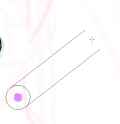
Anon are you retarded or something? You hold shift and it makes these super funky lines around your thinger and it waits for you to click to make a straight line. Another method is to enable the grid. How are you struggling?
>>
>>7897369
No, you misunderstand. I want what photoshop does, not this stupid line tool.
In photoshop, holding shift allows you to manually draw in lines of 45 degree angles, where you can apply pen pressure and stuff. That's literally the only advantage that PS still has over CSP regarding basic drawing features
>>
>>

>>
>>
>>
>>
>>
>>
File: 1771326881233661.png (34.9 KB)

34.9 KB PNG
>>7897390
Turn this on for straight lines. Turn it off for normal lines. Works on just about every brush. Has to have these boxes checked to work though. Plus the newest update I believe also does something along these lines but I don't have it yet.
>>
>>
>>
File: Screenshot 2026-03-13 203531.png (110.2 KB)

110.2 KB PNG
>>7898153
thank you anon,
i updated to ver 5 today, have some high hopes with future update and potentially new settings to play around with. have been making a lot of krita stuff just because it has a lot of options to experiment with, i don't know how to export anything from krita so i guess.
>>7897390
well you can't do this in CSP. - you can use grid to simulate it or use the latest version 5 to use it like procreate. draw line - hold it - make it straight. but if you want the fully photoshop like experience, just use grid
>>
>>
>>
>>
>>
File: Gus brush.png (524.4 KB)

524.4 KB PNG
Anyone have these ones?
Mostly looking for the Toei one tho
>>
>>
File: thumbnail.png (25.1 KB)

25.1 KB PNG
Humbly requesting
https://assets.clip-studio.com/en-us/detail?id=2176810
Please and thank you
>>
>>
>>
does anyone have the CSP version of https://www.truegrittexturesupply.com/collections/for-clip-studio-pain t/products/halftone-zine-machine-im age-processing-kit ? I've seen the photoshop equivalent practically everywhere at this point but I'm still trying to find the version for CSP...
>>
>>
File: 2026-03-17_15-29.png (221.1 KB)

221.1 KB PNG
got both of these brushes. too busy to upload on rentry rn
aHR0cHM6Ly9maWxlcy5jYXRib3gubW9lL3F6aDVmMi56aXA= concept art brush set
aHR0cHM6Ly9maWxlcy5jYXRib3gubW9lL3o1NWQyMi56aXA= pluto pixelpen
>>
>>
>>
>>
>>
>>
File: 1764484773768648.png (441.8 KB)

441.8 KB PNG
New to digital, what brush for this style(I use csp).
>>
>>
>>
>>
>>
>>
>>
>>
>>
File: 1774319340453.png (427.6 KB)

427.6 KB PNG
>>7904835
>Got the wrong brush
>>
>>
>>
>>
>>
>>
>>
>>
>>
>>
>>
>>
File: ac6a409c01-714b-7da0-c51d-cad7216f8f2.jpg (1.3 MB)

1.3 MB JPG
Requesting https://assets.clip-studio.com/en-us/detail?id=2255094
>>
>>
>>
>>
>>
>>
>>
>>
>>
File: macromedia-flash.jpg (4.4 KB)

4.4 KB JPG
>>7880688
What brush would you recommend to get that old-ass Macromedia Flash cartoon line art style -the one with thick, uneven strokes?
>>
>>
>>
>>
>>7907919
https://assets.clip-studio.com/en-us/detail?id=2078453
https://assets.clip-studio.com/en-us/detail?id=1888257
these might do the trick
>>
>>
>>
File: 4fc97bd8d20301c2142f865946db58b6b37dea63.png (1.2 MB)

1.2 MB PNG
Humbly requesting chaos ink pens for krita.
Thank you in advance
>>
File: brushies.png (564.4 KB)

564.4 KB PNG
does anybody here know if there are any uploads of the brushies.io sets?
>>7909247
I'm partial to these ones
id=2105919
and the bsd brushes https://x.com/bouseded/status/1688392392569970688
>>
>>
>>
File: weiryhegui3489.png (19.3 KB)

19.3 KB PNG
did anyonegrab this one before it got deleted?
https://assets.clip-studio.com/en-us/detail?id=2257542
>>
>>
File: 1757374361197241.png (65.5 KB)

65.5 KB PNG
anyone know which head model this is
>>
>>
>>
>>
>>
>>
>>
hello! I got bored and decided to skim through and fix broken links + update old versions of assets in the rentry, but only for page 1! there's still a lot that needs to be updated/fixed though, which i've made aware through the "notes" section, but here's a general rundown! ^_^
broken link fixed:
[1973714] Reed Pencil EX
[1803056] Even pencil (もこ鉛筆)
[2106630] 스며펜 세트 smear pen set (스며펜 세트 smear pen set)
[2189009] SKETCHY KITTY •⩊•
[2195066] Rough pen set (するざらペンセット)
[2204382] Ink brush- set
[2211305] Ketchup's Crunchy Pencil
[1973299] Pressure brush set for weak people (re) (筆圧弱い人の厚塗りブラシセット(再))
[2094610] Piglet's brushset (Updated)
[2182357] Slightly sticky ~ pen (ややベタ~なペン)
[2148701] BLU3 PAINT (BLU3 PINTAR)
[2196138] Washisketch brush
[2172401] Blur and saturation brush (ぼやぼや彩度ブラシ)
[2214967] Quirk pen set (手癖ペンセット)
[2211601] Coffee cloudy (커피흐림)
has been updated:
[2120516] Just the right marker (ちょうどいいマーカー) [2195076]
[2128903] One piece that can change the softness blur brush (柔らかさを変えられる片ぼかしブラシ) [2188544]
[2091572] Juwa ink pen (じゅわ墨ペン) [2140982]
[2124378] Sakuzaku pen (さくざくペン) [2191714]
[2127108] [Free for 24 hours! ] Zakutoro Real G-AA compatible (【24時間無料!】ざくとろリアルG-AA対応) [2240543]
[2032565] Just the right brush (ちょうどいいブラシ) [2195071]
>>
>>
>>
>>
>>7911278
here ya go! went ahead and grabbed the author's other brush, so I'll add it as a bonus :)
https://assets.clip-studio.com/en-us/detail?id=2256979
aHR0cHM6Ly9maWxlcy5jYXRib3gubW9lL3Y4dTBmby56aXA=
https://assets.clip-studio.com/en-us/detail?id=2257050
aHR0cHM6Ly9maWxlcy5jYXRib3gubW9lLzJmdDkyZS56aXA=
>>
Requesting:
https://assets.clip-studio.com/en-us/detail?id=2219783
https://assets.clip-studio.com/en-us/detail?id=2188353
https://assets.clip-studio.com/en-us/detail?id=2188358
https://assets.clip-studio.com/en-us/detail?id=2087898
Thank you, sorry if I'm asking for too much.
>>
>>
>>
>>
>>
File: sdfdfsf.jpg (289.5 KB)

289.5 KB JPG
>>7880688
Anyone know what kind of brush was used here? Mainly with CSP.
>>
>>
>>
>>
File: file.png (248 KB)

248 KB PNG
https://maxulichney.gumroad.com/l/ComicsMaxPack
has this been uploaded?
>>
>>
Anyone have either of these two available?
https://assets.clip-studio.com/en-us/detail?id=1746634
https://assets.clip-studio.com/en-us/detail?id=1956092
>>
File: file.png (147.4 KB)

147.4 KB PNG
person that asked to reup this >>7883971 (still waiting, btw! i keep refreshing now and then the rentry in hopes it does reappear), i also have another question.
those two assets here in the pic were found or not? because if not, i do have them.
>>
>>
>>
>>7912115
alright then. i'll wait!
but, you're still getting the two sets i asked if they were shared or not, consider something that the easter bunny left here.
https://assets.clip-studio.com/en-us/detail?id=1747748
https://assets.clip-studio.com/en-us/detail?id=1743447
aHR0cHM6Ly9maWxlcy5jYXRib3gubW9lL203ZDVvMS5yYXI=
aHR0cHM6Ly9maWxlcy5jYXRib3gubW9lLzdwMG1wMS5yYXI=
>>
>>
>>
>>
>>
>>
>>
>>
>>
>>
>>
>>
File: 1762005688368651.png (12.1 KB)

12.1 KB PNG
what brush is this
>>
>>
>>
File: __hozuki_momiji_and_oka_asahi_onii_chan_wa_oshimai_drawn_by_imamura_ryou__52f2885fff2bcb0084467a05d50d81e1.jpg (261.9 KB)

261.9 KB JPG
I already emulated one of imamura ryou rakugaki brush but only this one I cannot emulate it, when I tried making it, it feels too blendy or doesn't have the same pressure
>>
File: __ogawa_sumireko_kaii_to_otome_to_kamikakushi_drawn_by_imamura_ryou__f1e118ffc2f0f6560f37ff188b687f55.jpg (218.9 KB)

218.9 KB JPG
>>7913200
sorry I mean does anyone know brush that's similar like picrel?
>>
>>
>>
File: 1775568697645031.png (1.2 MB)

1.2 MB PNG
Source please?
>>
File: 6acqzaxrbvz81.gif (2.7 MB)

2.7 MB GIF
Please, my characters are walking around on the pipes!
https://assets.clip-studio.com/en-us/detail?id=1920768
>>
>>
>>
>>
>>
>>
>>

>>
>>
>>
>>
File: IMG_0680.png (35.3 KB)
35.3 KB PNG
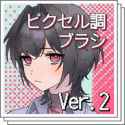
requesting https://assets.clip-studio.com/en-us/detail?id=2261185 ! ^_^
>80 gold/150 clippy
>>
>>
>>
>>
>>
File: thumbnail.png (29.8 KB)

29.8 KB PNG
https://assets.clip-studio.com/ja-jp/detail?id=2075317
I have checked on Rentry.
>>
>>
File: 1772919647973991.png (800.2 KB)

800.2 KB PNG
Probably just a default pencil and I'm retarded but might as well ask if someone can give pointers. Artist is kikai/akita morgue
>>
File: 1753414920594439.jpg (208.4 KB)

208.4 KB JPG
>>7918861
Another one
>>