Thread #7905131

File: sddefault.jpg (63.4 KB)

63.4 KB JPG
I really want to be able to stand it up and have like an easel setup going on. I also want the one that is most like traditional.
47 RepliesView Thread
 Showing all 47 replies.
>>
>>
>>
>>
>>
>>
>>
>>
>>
>>7905131
Neither of them is even close to traditional. The only "trad" part is that you are looking at what you're drawing/painting. Do you want a bigger screen area or the ability to draw away from your desk? That's the only metric that matters here.
>>
I had an iPad Pro and using it was a pain in the ass, constantly having to charge shit, having to move files between it and the PC, being too small, overheating etc
Then I bought a display tablet and I have literally zero complaints, it works just like you'd imagine
>>
>>
>>7905885
60Hz, it's noticeably less snappy next to my 240Hz main display but I only notice it when using the mouse, while drawing it feels completely natural, e.g. I don't miss the iPad's refresh rate or notice an effect on my drawing, the way I can tell it's not as bright as the iPad
>>
>>
>>
>>
File: csp_settings.png (67.5 KB)

67.5 KB PNG
>>7905917
>>7905937
https://files.catbox.moe/vo76b3.mp4
here is video
CSP 5.0.1, pen stabilization = 0
>>
>>
>>

>>7905131
Neither... you should go for the Galaxy Tab.
>>
>>
>>7906230
I got a big Galaxy Tab because it was bigger than any iPad within the last 12 months, the latest model, I think S10+ ultra or something. Frankly, the pen is kind of shit, and I feel scammed by reviews saying it's good. It's not as accurate as an Apple Pencil and also gets messed up by magnets (though I guess still accurate). I'll have to swap cases when I'm drawing, depending on my setup at the time. I love drawing on a tablet because I can snuggle up into bed, hop on Discord and talk to my friends while drawing, but the drawing experience is night and day, especially with Procreate. Being without it was way more of a grievance than I thought it would be. If the iPad screen size is big enough for you, I'd go with that. Though I do shudder a little when thinking about going back to IOS.
>>
>>7905131
get ipad if you just want to use procreate. get the cintiq if you're serious about art. the two have vastly different uses.
with a ipad you are locked into ipad OS and whatever is on the appstore. you have procreate, and you could buy the mobile subscription for clip studio paint (no perpetual licence). that's just about all there is available.
the biggest issue with ipad is the lack of stacked references. you can have a single reference at a time, that's it, just a small little image at the side of your already small working area, it feels extremely cramped. and the process of getting a reference is very slow and disrupts your work, having to navigate through a myriad of menus and a cloud drive just to get an image from your computer onto your ipad - it's a huge waste of time.
if you instead get the cintiq, you can use any software on your computer. and for references, you can use pureref on your desktop display, giving you a ton of space to work with on the tablet, and there's enough working area so that you could have it viewed on your tablet without issue (pureref keeps the reference on top, so it doesn't split anything). the drawing feel is also better on the cintiq - the cintiq has etched glass, whereas the ipad feels way too smooth so your lines will tend to be inaccurate unless you turn the stabilisation all the way up. you can get texture screen overlays, but that's an additional purchase you don't have to deal with on a cintiq.
personally i have the new cintiq 16, and since i got it i no longer use my ipad pro, and it even replaced my intuos pro because if i want to use it like a traditional pen tablet i can just turn the screen off and re-map to one of my displays. for me the cintiq 16 is a better option than a cintiq pro because i don't have much desk space to work with, any benefits of the pro are not worth the additional cost.
>>
>>7906599
>the biggest issue with ipad is the lack of stacked references. you can have a single reference at a time, that's it, just a small little image at the side of your already small working area, it feels extremely cramped. and the process of getting a reference is very slow and disrupts your work, having to navigate through a myriad of menus and a cloud drive just to get an image from your computer onto your ipad - it's a huge waste of time.
That's no longer an issue though, they added windowed mode a few years ago so you can just have vizref (pureref for ipad) and put it in a hovering window
>>
>>
>>
>>
>>7907280
>actual folder structure for files, no gay stacks
>base brushes have names that actually tell you what the fuck they are
>can use any photoshop brush
>can use one finger to pan the canvas
The UI in general is better too. Procreate is a decent app but is has so many stupid design decisions that piss me off.
>>
>>7906382
can confirm. i have s9 FE i actually like the pen with its soft rubbery nib and how slim and nice it is. But its accuracy throws me off i will never switch to apple however. i compared it to xiaomi pad 6 that my friend has and its accuracy is much better unfortunately its a thick pen with batteries inside.
>>
>>
>>
File: 20260103_114013.jpg (769.8 KB)

769.8 KB JPG
>>7910399
I just hold my tablet or support it in my belly or tighs.
>>
>>
>>7906382
>>7907296
I have the Wacom One EMR pen (the one with white and black body) to use with my S8. It's just miles better in comfort and just overall pressure feel, and idk why I know prefer the gliding feel instead of the rubbery feel of the typical S pen. The rubber friction often throw me off guard
>>
You should only get an ipad or galaxy tab or whatever if you have money to burn and have an actual use case for portable drawing. Personally, my job gives me ample free time for drawing but I don't always have desk space for a full laptop+tablet setup, so an ipad works really well for me.
>>7907279
Because most people don't know it exists. I've never seen any kind of marketing for artstudio pro. I've never heard it brought up anywhere outside of /ic/ and I only know of it purely because of /ic/. The devs should really think about advertising it better.
Meanwhile if you walk into any apple store and check out the demo ipads, they all have procreate installed.
>>7910399
I'm a tall person so drawing flat usually does a number on my back. I bought a parblo metal stand over six years ago and still use it today. It goes wherever my ipad goes. There's probably other metal stands you can get that work just as well. I wouldn't recommend those "compact" ones that fold out or whatever, they're really flimsy
>>
>>
>>
>>
>>7914603
i had a glass one on my tab s9 and it made drawing way trickier, there's no friction and the nib just glides over the screen. i wont be putting one on my s11 ultra. should be fine as long as you use a regular nib and switch it when it wears out too much
>>
>>
>>
>>
>>
>>7905720
Same, a bought an huion canvas and it's collecting dust on the box after using it like a couple times
>>7905746
I got too used to watching the monitor on my normal tablet
Display feels like a regression
My monitor is like 30', you don't have display tablets that big
My neck position is flawless, upright, monitor at eye level, something you'll never acomplish with a display
Pc master race and cheap normal tablet is just unbeatable
>>
>turn screen off when I'm not doing small fine details
>turn it on when I'm doing so
It's kind of a cope but I never got into drawing seriously until a friend of mine gave me a hand-me-down screened.
I think in the long run a screenless is fine but starting out, holy fuck.
>>
File: images (55).jpg (15.5 KB)
15.5 KB JPG
>>7914788
>>7914603
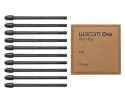
Get a felt nib. Yes it fits the S-pen. Or just get a wacom one stylus i don't care, stop asking
>>
>>7915463
the only good thing about display is when you need precision during inking
i think it better to pick a screen less tablet + oled monitor than a all in one also which one you recommend currently i have a huion 16 display tablet
>>
I have an iPad, it's good. But I would rather have a screen tablet that connects to the computer, so I can look at the image on my big monitor. All the tools that allow you to do that with your iPad feel hacky and inadequate.