Thread #12509383

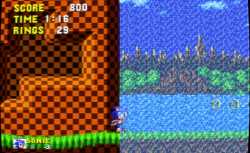
If you have a 1080p (you literally can't use crt mask without it looking like garbage) HDR10 ~300 nit monitor (so you can't use megatron either) and want a Mega Drive with real colors in PAL PAR, proper blending, and pixels that won't rip your fucking eyes out — help yourself.
Everything was tuned with CRT mask disabled in mind. HDR must be enabled in RetroArch.
dropmefiles com / dfVUL
19 RepliesView Thread
 Showing all 19 replies.
>>
>>
>>
>>
>>
>>12509383
I played genesis on a piece of shit wood box tv so I just emulate with whatever fuck my shit up ntsc filter makes the waterfall look right and its literally the same as my childhood whatever the fuck smeary bloom filter you posted doesn't look anything like it.
>>
File: Screenshot.jpg (503.1 KB)

503.1 KB JPG
>>12509383
For 16bit era I just turn on "crt-lottes-multipass-interlaced-glow.slangp" which is in the "presets" shader folder. It doesn't need a lot of configuring.
>>
>>
>>
>>
>>

>>
>>
>another panic attack from some insecure zoomer retard who goes into hyperventilating convulsions whenever other people play a game on different setups
you should have grown a personality and made real friends in your childhood
>>
File: 1755740325872193.png (1.8 MB)

1.8 MB PNG
It's all a meme. 1080p is fine for high TVL masks and aperture grille at any TVL in general. High resolution displays are only needed if you want low TVL slot/shadow masks and play with your retinas one inch away from the screen (never do this). At normal playing distances you're not going to notice that crusty 8K mask.
Muh megatroon, muh nits... just use a shader that can deliver bright and well defined masks independently of your monitor's brightness setting if you don't have a meme monitor -- those are royale or koko-aio for example. Megatron/Megabezel/Guest all need meme monitors to compensate for the loss of brightness as they darken the screen too much if you want defined masks. Don't let good be enemy of perfect.
>>
>>