Thread #1022636

File: oaeNUGKqvdXKfpSNcnKfzN.jpg (276.9 KB)
276.9 KB JPG
Why is Mayas UI so complicated coming from Blender?
35 RepliesView Thread
 Showing all 35 replies.
>>
>>1022636
Please substantiate your incendiary thread. Which aspects of it do you find complicated? Please elaborate on how you feel Blender solved those usability roadbumps. If you can't we can only assume you made a troll thread to trigger the schizo, who cannot deal with facts, rather than an honest attempt to debate usability
>>
Fpbp for sure but i can guess what the answers to those questions are.
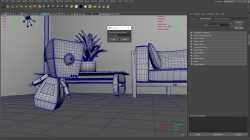
Pic related is maya's design philisophy and newbs get shocked when they see the interface. The goal isnt to master it all but to pic the things that you like and use them. Because theyre all just different ways of doing the same thing
>>
>>
>>
>>1022708
i've been trying to get into blender from maya cuz they're supposedly going to port it to ipad which would be kinda fire, but it's so disappointing to search how to do sth in blender and found out u need some kind of plugin for that functionality. it's funny when i first started doing 3d i couldn't tell the difference in features in the programs, i just went with maya because blender has a community of toxic hobbyists that i wanted to avoid for sanity's sake, but now i'm like yeah maya actually is better lol so i guess i progressed.
>>
>>
>>
>>
>>
>>
>>
>>
>>
>>1022794
Daily reminder Maya has a functional, convenient quad remesher tool. Blender needs a shitty paid amateur plugin which costs 65 dollars and is a laggy mudshit where the FPS drops to 15 after working with more than 1 million poly meshes anyways
>>
>>
>>
>>
>>
I tried both programs when I started and I found Maya's UI to be much more comfortable especially with the pie menus. Unfortunately, there are just too many resources as a hobbyist for blender that make it way more convenient to do work in so I stuck with that
>>
>>
>>1022706
if you're still new to blender, I honestly recommend just using the blender keybinds. I came from 3DS Max and chose something akin to that, and it still is a problem after years, because you can't watch tutorials with keybinds, and some stuff isn't bound at all
>>
>>
>>
if ur coming to blender from maya and miss the spacebar context pie menus, i just found the sickest option, go in preferences, and set spacebar to search, then whenever u wanna do sth just hit spacebar but instead of the context menus like in maya where u need to train ur muscle memory to get fast, u get a search box, type whatever u wanna do, and hit enter. it's literally that easy. no need to train new muscle memory. no need to search around blenders million little collapsed menus and random buttons, just type "edit", hit enter, u in edit mode, space -> loop cut -> enter, u loop cuttin etc.
>>
>>
>>
>>
>>1024937
lmao that's like asking why in video games u move forward by pressing 'w' instead of 'f'. think for two seconds dude: one it's quicker to have those all next to year other on the keyboard. second, not every language calls rotate "rotate" so making it 'r' makes no sense to anyone outside of english. sorry but the maya ui is built for speed not for coddling noobs.
>>
>>
>>
>>
>>1025389
I mean, everyone has their term for, say, "turn", but rotation in the 3dcg context is a formal math terms and nerds have set about standardizing those long before keyboard shortcuts were even a necessity, to lift any ambiguity when discussing math internationally
>>
>>
I really begin to enjoy this board, it's funny as hell. My favorite posters so far are:
>blender cultist hunter
>BWC anon with his impregnation talk
>Cris
>AI shiller jeet
>the chair faggot
>software war thread starter
Feels just like at home now.