Thread #1023428

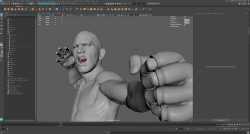
File: exemple-character-modeling-Maya.jpg (178.1 KB)
178.1 KB JPG
What's stopping Blender users from switching to a superior set of various software which excel in their target abilities?
58 RepliesView Thread
 Showing all 58 replies.
>>
>>
>>
>>
>>
>>
>>
>>
Months/years of muscle memory and knowledge about shortcuts and tools that Blender has would be thrown away. And I currently have no issues with Blender. So what would I be trading it for? The promise that "it's just better, trust me bro"? What specifically is better? What program?
>>
>>
>>
>>
>>
>>
>>
>>
>>1023803
>the files are directly tagged as being made in an educational version permanently
and how would they even know that, assuming they want to check?
You think if you work as a freelancer online with some client, autodesk is gonna go and search his crappy game where you're not even listed as an artist, extract the 3d files from it and start looking to see which one is made with education licenses?
Also just fucking pirate it, most of the 3rd world does it. If you work for a real studio they'll pay your license but until then no one pays for it
This is the same type of delusion as the urban legends surrounding pirated foundry products
>>
File: issue.png (12.8 KB)

12.8 KB PNG
>>1024633
Everyone knows this because Autodesk programs flash up a notification box about this anytime you open the file in a commercial version of the software. This isn't a bit, this has been true for DECADES.
https://forums.autodesk.com/t5/maya-forum/student-file-to-commercial-f ile/td-p/9058537
https://forums.autodesk.com/t5/maya-forum/student-file-to-commercial-f ile/td-p/9058537
There is no workaround for this by design. Files exported from a file made in an education license version will be watermarked as well, and there's not really been a trivial way to remove it.
As for pirating, they've made it quite non-trivial to deal with their license server shenannigans for awhile, and much like with Photoshop, there's a non-zero chance they won't eventually gate features behind server checks or cloud.
You can continue to thrust your head in the sand and act like this won't eventually come back around to you, but if you think you can do this without taking serious safeguards this day and age, you're basically begging for them to send you a bill for 5000+ dollars.
>>
>>1024659
Again, I'm asking you how exactly will autodesk find my obj file to check it was made with an edu licence? If I model a car, export it to Unity than send it to a client, how exactly will autodesk track down that specific obj in some guys game?
>act like this won't eventually come back around to you, but if you think you can do this without taking serious safeguards this day and age
I've been doing it for 10+ years and I know people who have been doing it for even longer. This is just fear mongering nonsense. Non only are they unable to enforce something like this world wide, but on top of that they don't really care. The bulk of their money doesn't come from individual licenses, it comes from companies and studio licenses.
You keep using Blender out of fear that the Autodesk police will come and track you down while Ranjeet in some slum in Bangladesh pirates it without second guessing for a second.
>>
File: 1681238125.png (67.2 KB)

67.2 KB PNG
>>1024436
>yeah, okay, sure buddy. just go "nuh-uh" to something that has been actual fact for over 2 decades.
>>
Most intermidiate 3D artists always have plenty of projects going on and many use of them Blender in all of the modeling (speaking of myself only though)
Switching software is a big deal for most people, you have to get some free time and be really dedicated to switch. AFAIK, nor Maya or 3ds Max have anything to offer that is superior, or at least superior to a degree of you wanting to switch.
And of course, Blender is still "amateur" software, so "amateur" in fact that it is funded by Epic Games, NVIDIA, AMD, Adobe, Google and other big names.
>>
>>
File: 16873218.png (480.6 KB)
480.6 KB PNG
>>1024678
>Most intermidiate 3D artists always have plenty of projects going on and many use of them Blender in all of the modeling (speaking of myself only though)
>Switching software is a big deal for most people, you have to get some free time and be really dedicated to switch. AFAIK, nor Maya or 3ds Max have anything to offer that is superior, or at least superior to a degree of you wanting to switch.
>And of course, Blender is still "amateur" software, so "amateur" in fact that it is funded by Epic Games, NVIDIA, AMD, Adobe, Google and other big names.
>>
>>
>>1024723
>how come you think like that
Because a junior level artist is still a professional. He might be slower, but skill level wise he is almost there with seniors. He understands his craft more in depth than most amateurs
There are some red flags in what you said which are indicative of someone of low skill level/hobbyist.
For example most professionals don't "learn blender" or "learn maya" like amateurs keep insisting on.
They learn modeling, learn sculpting, learn anatomy, learn animation. These things are software agnostic. Once you know the basics of a profession, you should be competent with another software within 1 week of switching. No professional needs years to master a software, that's why tutorials where they go through everything a software does is rarely more than 10 hours long. When you said "Switching software is a big deal for most people" this immediately makes me think you don't know what you're doing.
Second redflag is insisting that dedicated suites have nothing on software that's used as a general tool. That is clearly wrong, and for example anyone who has ever sculpted in zbrush or animated in maya knows that they are leaps and bounds better than what Blender does. Sure, Blender is fine for what it is but that's a far cry from saying it's just as good as other software. No professional would ever say that.
>>
>>
File: Untitled-1.png (102.1 KB)
102.1 KB PNG
>>1024771
>imagine how crumpled you gotta be to make this image lmao
>>
>>
>>
>>1024826
You're completely missing that anons point. He's saying the stuff you actually need to master to be a good artist is the part that's software agnostic. A good sculptor is a good sculptor either if it's in Zbrush, Blender, 3dcoat or some other software. Once he figures out where everything is in a new software, you wouldn't expect him to be that much worse just because he switched from zbrush to blender, for example.
A good carpenter wouldn't need years just to adjust to a different hammer. People who yap about "I'm learning blender" are like people saying "I'm trying to find out all the things I can do with a hammer" instead of "I'm going to learn carpentry" or "I'm going to learn metal work"
>>
>>
>>
>>
>>
>>
>>
>>
>>
>>
>>1025371
why? for the thing in maya that triggers my 'tism is i don't know a way to make edge loops match up exactly if you're not using symmetry. like you can do it by percentage with the multicut tool or whatever the fuck where it snaps to percentages like 10% or something, but what if i want it at exactly idk 7 centimeters? how do i do that? my guess if u want that kind of precision nerdery ur supposed to go with 3dsmax. can a maya pro tell me i'm wrong? and can u do that in blender without installing five plugins first or what? blender def better for sculpting, maya sculpting is just for quickly fixing up models that were sculpted elsehwere and that makes sense since the pro stack is zbrush, maya, substance painter. too bad autodesk stopped trying to maintain mudbox it was decent.
>>
>>
>>
>>1025378
Blender uses shortcuts for modeling with actions like merging vertices and is just quicker. That's the only thing blender has going on, elsewhere it is horseshit. Animation and rigging definitely Maya, sculpting better Zbrush, cloth simulation better Marvelous Designer. Precision modeling definitely CAD. That's what I do. I barely use blender except for cleaning up meshes post CAD.
>>
>>1025382
What's stopping maya modelers from reconfiguring the shortcuts to work as in Blender? There aren't that many actions and tools one constantly uses while modeling, and as far as I know, in maya, all can be mapped to shortcuts or custom pie menus.
The complains blender modelers have about other modeling software seem to me to be the same type of complain casual users have about Zbrush : "The zbrush interface is bad" when in fact you're supposed to customize your interface according to your needs and workflows
>>
>>
>>
>>1025382
>Blender uses shortcuts for modeling with actions like merging vertices and is just quicker.
uhhh in maya u can just hit 'g' to repeat last action. so u use edit mesh -> merge vertices once and then just keep hitting 'g' if ur gonna do it that much... not to mention the target weld tool u just drag them together to merge. and also not to mention the merge tool can merge a shitload of verts in one go based on the threshold settings.
>>
>>1025387
>uhhh in maya u can just hit 'g' to repeat last action
Shift+R in blender
>not to mention the target weld tool u just drag them together to merge
Enable automerge in blender
> also not to mention the merge tool can merge a shitload of verts in one go based on the threshold settings.
M > merge by distance, or a decimate script/modifier
Yes, these are common operations any 3d software should have. Merge by distance is something every modeler should be using every time they do
>>
>>
>>
>>
>>
>>
>>
>>
>>
>>