Thread #1025505

File: GOGO.png (403.7 KB)
403.7 KB PNG
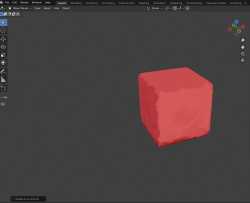
it looks great in material preview but the moment i switch to rendered the way the light bounces off of the model looks like ass how should i fix this?
19 RepliesView Thread
 Showing all 19 replies.
>>
File: GOGOGO.png (1.3 MB)

1.3 MB PNG
>>1025505
heres how it looks in rendered mode
>>
>>
File: GOGOGO.png (581.4 KB)

581.4 KB PNG
>>1025506
and here are the painted normals,im thinking maybe the paint strokes in the center of the faces arent different enough to produce a noticeable change in how the light bounces off the cube what do you think?
also weirdly enough in the paint system tutorial theres a hue/saturation/value randomizer that isnt appearing for me does anyone know if i need an older version of blender for it to appear or something like that?
>>
File: GOGOGO.png (434.1 KB)

434.1 KB PNG
>>1025507
where would i plug in the normals?
>>
File: GOGOGO.png (258.3 KB)
258.3 KB PNG
>>1025507
>>1025510
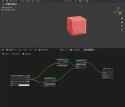
wait just combined the image texture with a emission node,and combined that with the set up i had with a mix shader,it looks how its supposed to and reacts well to light thanks dude
>>
>>
>>
>>
>>
>>
>>
>>
>>
File: outlinemissingdel.png (597.3 KB)
597.3 KB PNG
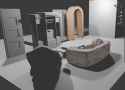
now that i figured it out it looks alot better but the outline itself is still messing up the painted look,i tried painting an inverted hull outline but even then it only works at certain angles and with certain shapes,do any of you know how i can create a fresnel type shader with a repeating image(paint brush)with a randomized scale/rotation along the black-white border of said fresnel?or any alternative on how to do a painterly outline would be apreciated
>>
>>1025805
I'm not entirely sure. But from some of the things I saw grease pencil do, you might want to look into that. Grease pencil can create outlines using curves and geometry, and there's a bunch of customization to give those lines texture.
Grease pencil is even fully integrated into the node system, if you really want to go crazy.
>>
>>
File: GOGOGO.png (648.6 KB)
648.6 KB PNG
>>1025808
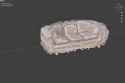
ended up using images as paint strokes but it dosent look that good from the side but its good enough,thats a good idea though will look into that
does anyone else have any constructive criticism?
>>
>>
is there a way to use an object's diffuse texture color for a grease pencil modifier? i know you can set the material to the same but the grease pencil doesn't have UVs right? or can you generate/transfer them with a modifier somehow