Thread #996209

File: flat,750x,075,f-pad,750x1000,f8f8f8.jpg (296.2 KB)

296.2 KB JPG
Houdini is fun and easy!
Pick up a free apprentice version today:
https://www.sidefx.com/download/
287 RepliesView Thread
 Showing all 287 replies.
>>
File: Pasted image 20240923192323.png (118.1 KB)

118.1 KB PNG
Now that we've got the formalities out of the way, I've been having a nightmare of a time matching Karma renders in the viewport / mplay. The ACES transform from ACEScg just never looked right, colours ended up too saturated.
But I've cracked it for davinci resolve. Use EXR output:
Houdini Settings:
Edit > OCIO Settings > ACEScg
(Setting this to acescct fucks up the viewport)
Karma Render Settings
Image Output > AOVs > Component Level Output > Output Colorspace > ACEScct
Resolve Project Settings:
Pic-related + in the colour page, project nodes add an aces transform with the following settings:
- Input Transform: ACEScct - CSC
- Output Transform: sRGB
This will let you mess withe gamut compression and do post-srgb changes
This will exactly match what you see in houdini.
>>
File: 2ndmarkofkris.gif (3.6 MB)

3.6 MB GIF
>>996209
Only with the power of Houdini will Cris finally be defeated.
>>
>>

>>
>>
>>
File: file.png (534.4 KB)
534.4 KB PNG
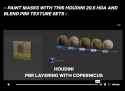
https://www.enoni.de/wp/pbr-5-layer/
free cops pbr layering hda (fx compatible)
>>
File: 34413.gif (404.7 KB)

404.7 KB GIF
>>996209
Does anyone have some good resources on how to shade and render pyro fire and smoke in solaris karma? I tried to make this shot but dont know how to make the fire at the end look like smoke instead of fire.
>>
>>
>>997183
it's warranted. The thing about houdini though is that you have to have a pretty sky high iq to make use of it. Most people that can say sort of use it just end up making useless shit and/or trying to sell equally useless courses on it. Or, even worse, they end up trying to answer questions on forums or discord all day but they don't know why they cant make a sim that is actually interesting
>>
>>

>>
Does anyone know how to add anything to material databases in Solaris? You can see them in the material linker catalog tab. You can create custom DBs, but I have no idea how to actually add anything to them. There are no docs and nothing useful on the discord.
>>997241
It's paid for my license a few times over tho I quite enjoy it. I've finally gotten a bit of a handle on Solaris too and it's cool as fuck hitting render on one thing and seeing a bunch of passes and cameras exported on the morning
>>
>>
>>
>>
>>
>>
>>
>>
>>
>>
>>
File: hurrcane.gif (2.9 MB)

2.9 MB GIF
Trying to make a hurricane with pyro. How can I make it looke less like smoke and more like hurricane mist?
>>
File: vophurcane.gif (2.4 MB)

2.4 MB GIF
>>997833
Here is one made with volume vop (no sim)
>>
>>
>>
Does anyone know how the hell I can get points scattered as a volume on a deforming mesh to not jump around like crazy and change their point numbers? Time shifts and rest nodes aren't doing shit. I just want to use this running character as a pyro source and have the points stick in one spot- so I can drive a certain degree of the smokes velocity using their normal direction
>>

>>
>>
anyone happen to own the Steam version? asking because I will eventually buy houdini indie and I happen to have a ton of steam cash from when I played CS and sold my skins. I'd rather just use that to buy it but if there are bugs or differences then I'll just shell out the money for indie separately
>>
>>998315
Unless you plan on making money with houdini I wouldn't bother buying any version. Apprentice has very few limitations, the biggest one is that you can't install any third party renderers. But karma xpu is great so I don't really see the need for this anymore. Also houdini is easy to crack if you really want to..
Personally I don't own a commercial houdini licence, the studio I work at buys it for me. That being said, stay away from the steam version. Version management is a pain and you can only have 1 houdini instance launched on you PC at a time.
>>
>>998426
You don't get it. For one, the value of paying of having a legitimate sidefx license comes from the support and the scene files YOU have to send in to receive support. Just in this past month I had to email side 2x and they solved my issue in multiple lengthy emails and example scenes that they provided me and even let me know in advance notice about upcoming things they are going to be releasing that relate to the issue.
Two, using third party addons is actually a must. Karma isnt the be all end all, either.
>>
>>
>>998658
renders are limited to 1280*720
no third-party renderer support
no geometry sequence export iirc (technically no geometry export at all i think, but you can get around it, but it would be tedious for exporting sequences)
if you buy a license, then open a file saved in apprentice, it'll temporarily make your houdini session an apprentice session - saved files need to be converted, sidefx will do this for you once. there is a bit of a hack around this but it has some minor limitations (nodes inside sop solvers won't migrate properly, neigther will sticky notes iirc)
>>
>>
>>
>>
File: file.png (23.6 KB)
23.6 KB PNG
>>999152
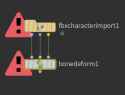
fbx is ideal since you can still mess about with the skeleton/animation. use the fbx character import node and set it up like pic related.
if you just want the baked animation, then it doesn't matter, use alembic or some shit.
>>
>>999154
also, if you do want the skeleton and you've set up the chat with rigify or w/e, when exporting to fbx there an option to export just the def bones - i remember having to fiddle with those options, although i can't remember specifically what steps i did. should be easy to work out.
do that or you'll get a big giant mess that you can't work with.
>>
>>

>>
>>
>>
>>999254
i just rolled back to an earlier version.
565.90 studio is the one doing the teal shit with houdini 20.5.332. 560.81 studio is fine.
i can't even be bothered to fix the opencl errors with vellum; it's probably an edge case and there's barely a speed gain anyway for my project.
>>
>>999257
thanks for the heads up about 565.90. I dont have time to stop producing and mess and troubleshoot with faulty "studio" drivers that MUST be released every X number of weeks. There is almost nothing worse than troubleshooting faulty drivers
>>
>>
Does anyone else feel like they're perpetually at 70% with everything they try with this software? At this point I get the basic jist of how to do most of the things I think of, but then I either hit some wall that brings all of the experimentation that came before it to a complete halt, or I just get stuck with a shit version of the thing I was imagining, that's everything I was trying to make it be, except it looks like shit.
>>
>>
>>
>>
>>
>>
File: file.png (66.4 KB)

66.4 KB PNG
>>999761
Probably not interesting, but procedural symbols/text like the runes in Diablo 2. Then I'll try to arrange them in animated circles and ribbons for a "magical circle" type thing swirling around the character.
>>
>>
>>
>>
>>
>>
>>
>>
>>
>>
>>
>>
>>
File: 533.jpg (499.5 KB)

499.5 KB JPG
I have a challenge for ya'l
Suppose I have this shape. I want to duplicate this shape dozens of times and scale it inwards, and have each smaller copy nested perfectly inside the larger copy. But the vectors don't want to let me do this. I get this crap instead. What do I do
>>
File: Sage between Houdini and PRISMS.jpg (115.9 KB)

115.9 KB JPG
everybody making houdini courses but there are no jobs
end stage capitalism
>>
>>
>>
>>996209
shit ui and sluggish performance. i took a month to really learn it and found out its just easier to work in a general 3d package with similar results. if you wanna do extreme high end sims, sure. but general use from renders to shorts, not worth the headache.
>>
File: 35.jpg (273.2 KB)

273.2 KB JPG
>>1000105
Failed to process triangulation. See helpcard for possible causes.
Don't see anything relevant in help, Tried remeshing and quad remeshing first and didn't help.
Here's another problem- I want to project an image onto some vellum grains and have all my forces jumble those grains around, breaking apart the image and making the black grains get mixed up and lost. But I can't seem to get the Cd of these points to become independent of the projection- so the grains move around but the image continuously projects onto them in the same way. How can I bake the colors onto the specific grains so they stop doing that?
What I'd really like to figure out is how to bake an image, have the simulation shuffle them around and end with them arranged into a different image
>>
>>1000176
you shouldn't need to do an attribute transfer at all. once the points have the attribute pre-simulation it should 'stick' through the simulation.
if for some reason it doesn't, attribute transfer won't help. attribute transfer is proximity based.
what you want is an attribute copy based on point numbers. i think in this scenario if you run it naively it'll work.
ideally you want to keep track of points not based on point numbers, but based on id's just incase the point numbers get shuffled around (vellum will do this for primitive numbers all the time iirc) or if new points are spawned.
usually this is done with an @id attribute and some schema to ensure that point numbers remain unique.
however, you can't assign @id prior to a vellum simulation because the vellum solver needs its own @id attribute to keep track of this.
i usually just use i@pt_id as a custom id attrib and then shuffle it around for idtopoint() lookups (that function only works for @id attributes.
re:failed triangulation, i'd need to see the actual geo, but desu i'm going to be slammed during the week so i doubt i'll be able to help.
for the image rearrangement thing, i'd have to think on it. again, i won't be able to really spend any time on it. but the idea would be this:
1. precompute the second projection and store it as a point attribute
2. maybe randomize point order and project based on that
3. inside the vellum solver you can then use an attribute wrangle to just move towards this stored position. so if you've got a precomputed position stored as v@precompute you can just use a wrangle inside the solver and do something as simple as v@P = lerp(v@P, v@precompute, 0.05) and it'll move towards the position 5% per frame.
>>
>>
>>
>>
>>1000614
Mate, the Industry has completely collapsed. Are you living under a rock? The movie industry? Gone. Direct-to-dvd? Gone. App industry? Dead. VR apps? Dead. All you can do now is try to gain social media clout.
>>
>>

>>
File: 1506031225026.jpg (95.4 KB)

95.4 KB JPG
I'm not a good coder bros, is there any hope for me?
>>
>>1001962
The time when one need to be a 'good coder' is nearly over. We will very soon be programming in natural language in such a way that everyone will be a programmer.
Once that happens in no time AI will write for us in machine code that'll be ineligible even for expert humans to interface with directly.
It'll be more impractical than reading large programs viewed as assembly code.
We will be reliant on AI interpreters to map out what a program actually does in metaphorical ways that is eligible to us.
In that near future your ability to be creative will be gated more by your ability to be highly specific an concise in describing things
while talking to a LLM than you will be dependent on knowing the ins and out of syntax and how to write efficient and clear code.
Anyone who's anyone in programming has stopped saying we should be teaching kids how to code, because that skill will be irrelevant.
Growing your vocabulary and understanding of higher order concepts will be the success path going forward.
What you can contribute will be gated by what you can express thru your command of linguistics and what you can conceive of as cohesive mental constructs.
>>
File: file.png (154.7 KB)

154.7 KB PNG
>>1002005
But it's not here yet. I interacted with 20 chatgpt solutions (paid model) and they all failed (or my descriptions did), and so I have to cope with my poor abilities in the now.
I get time's will change, and I'm looking forward to those times as an artist.
>>
>>1002009
Chatgpt is good for houdini's python stuff but mostly miss for everything else.
Btw if you want to copy different objects per point look up the attributes from pieces node and the variant copying workflow in copy to points. I think there's a nice post on the toadstorm blog about all the ways can do it now.
>>
>>
File: @extraweg.mp4 (3.5 MB)

3.5 MB MP4
>>
>>1001962
Don't listen to the other fag, I stopped reading after his first sentence.
I'm a software programer and i use Houdini as a hobbyist.
If you're saying this for VEX, then you're in luck cause it doesn't require to become the most excellent programmer out there. Learn the basics concepts of every programming language and you're set to go (variable, conditions, operators, flow... whoch you can do in a day, honestly).
If you want to make production level stuff, then yeah I guess you'll have to learn some Python and be able to code more advanced scripts and programs. But even then, it's not the most advanced stuff out there.
You WILL HAVE TO provide some effort though.
>>
File: unnamed.png (25.7 KB)

25.7 KB PNG
>>1002180
>I'm a software programer
you might enjoy pic-related. i only found out about it recently, it's basically undocumented.
>>
>>
>>
>>
>>
>>1002561
i wont put them on the spot but it doesnt matter. It seems like there are no really advanced tutorials because the barrier to entry is too high and they wont be able to get views or people with that sort of knowledge are under very strict NDAs and cantn make them in the first place so we are stuck with mid level at best tuts
>>
>>
>>
>>1002607
if you contact them in cases where there is no docs in the manual, forums, or discord for your specific use case sometimes they will give you advance info regarding the release of new materials. That happened to me a while back.
>>
>>
File: 1730565828925367.gif (2.8 MB)

2.8 MB GIF
My peepee is DIAMOND since I discovered this fucking dream of a software.
I honestly want to fucking master it. The modeling (especially procedural) part of it specifically and the VEX as well.
I'm a gamedev. What learning path/courses should I take? There's too many different expensive course about Houdini, I wouldn't mind paying for 2 or 3 of them (in case I don't find them somewhere else of couse)
>>
>>1002672
you can pirate most of the big proc modelling ones out there
cgma's proc modelling for production is a decent intro
rohan dalvi and adrien lambert have some stuff
there's a rope bridge one, an escalator one and a 'japenese castle' one which are more specific case-studies - these might be a bit more give a man a fish vs teach a man to fish
the actual best proc modelling courses are anastasia opara's lake houses but they're old and use a bunch of deprecated nodes, not easy to follow along for beginners - anastasia has a very big brain (she's the dev on that tiny glade game you've seen everywhere for the last few months)
for vex, just do joy of vex on cgwiki
junichiro horikawa has a very in-depth series on his youtube channel
the vex course from rebelway is also decent
>>
>>
>>
>>1002672
if you want to learn houdini all you have to do is read the official documentation and do the official tutorials and watch the official videos from sidefx.
Search the forums to fill in the gaps, odforce is generally horrible, discord is even worse.
>>
>>1002675
Ok thanks, I actually did a few one of these already. I was asking cause I don't feel like I'm ready to do my own project yet.
> cgma's proc modelling for production
Gonna this one, I need some "real life" project example in production context, thanks.
>>1002684
I read some of the documentation for nodes, they are vague as hell, especially the labs tool ones, which are the ones I need the most since I want to use Houdini for gamedev.
>>
>>1002738
get started on a personal project asap t bh
you'll never feel ready if you fall into tutorial hell because every tutorial you see you'll pick up something new
i recommend taking good notes - exhaustive and detailed, in your own shorthand. you will forget stuff 100% and in a few months you're going to need to recap something quickly and you'll thank your past self for taking notes.
>>

>>

>>
>>1002754
if you want to read a point attrib you need to use the point() function:
point(geostream, point_number, "random_int", index_in_case_of_arrays)
just typing @random_int, it's looking for local variables created by topnets i believe.
>>
>>
>>1002787
APEX is really really messy. What you want to do and what the actual endgame is is feeding mocap data into vellum muscle rig, not with APEX setting up a early 2000s video game rig and manually setting keys and getting your footroll right. You want to invest in mocap suits and do the capture in any program and feed that data into vellum
>>
>>
>>
>>
>>
>>
>>
>>
>>996209
Started looking into it because this tutorial implied it is a viable alternative to Russian3dScanner/faceform for transferring ripped game model heads onto daz/other generic template human body models.
https://www.sidefx.com/docs/houdini/nodes/sop/topotransfer.html
The apprentice version seems unable to do texture baking due to the render resolution limitations.
>>
>>
File: 1715361382008846.jpg (74.8 KB)

74.8 KB JPG
That feeling when you get over the houdini gatekeeping by reading the documentation, but you still keep maya and blender in the toolbelt because they just work better for a lot of things and your entire output is going into a game engine anyways because film and tv are both utterly and completely dead.
>>
>>
>>
File: file.png (40.9 KB)

40.9 KB PNG
I had an idea where I have particles streaming toward the camera. How might I make them prettier when so zoomed into them? Would you just work on the material itself, or try to spawn even smaller ones, or something else entirely?
>>
>>
File: markofkris.png (829.3 KB)
829.3 KB PNG
>>1002926
There is no need to gatekeep something that is basically a gate in of itself.
>>
>>
>>
>>
>>
>>1003669
no dude, you don't get it. They gatekeep 100%. With maya everything is on the table. You can absolutely hit the ground running with scripting and plugin development. You can extend maya so easily if you understand cg. With houdini, they just don't have the same level of examples at a low level. And then if you have a problem you have to look at a picture of some spaghetti. You can't download a scene file not from official sidefx website because thats not safe. Like from a discord. Its just not a good idea to do so. On the other hand you can easily get help with maya development and dev it really hard really quickly. You cant say the same for side.
>>
>>
>>1003721
multiple times I've had to contact side via their support portal and ask them why they dont have things built into their solvers that are doable today in maya. They just dont have it. They dont have the documentation saying they dont have it, either. You have to already be an expert at some area to see what they don't have and no one else is bringing it up anywhere.
>>
>>
>>
>>
>>1003751
not necessarily. I've also submitted and gotten approved bugfixes. What's the alternative? Write my own app? Get real, I don't have time for that. The closest thing to writing an app I can do is to extend a program, and this is where side says "ehhh not so fast" while as I've been saying, other players like maya and blender say "go right ahead, here's all the examples you could ever need, for any skill level"
>>
File: markofkris.gif (763.9 KB)

763.9 KB GIF
>>1003723
>ask them why they dont have things built into their solvers that are doable today in maya.
Like what? You sound like someone who only knows how to use shelf tools and has no idea how DOPS actually work.
>>
>>1003783
lets say you have a node and you want to add visualization options to it that lets you see the combination of results of that node from previous frames in various colors and give options on how to adjust that information so you can further debug. Then you need to add this to either vfx ref pyside so you can use this node in other apps as well without having to write it specifically for hou interface.
There are no guides for this in hou. Nothing to get you started In maya there is. In blender there is. Hou doesnt want you to go in this direction.
>>
>>1003818
And also lets say that when you are combining the elements of the previous frames, that you cant just combine them, but you need to do operations on each pass because the amount of data is too great. This is what I need examples for, not entry level karma tuts.
>>
>>
>>1003868
unfortunately, going into houdini, running a sim with hundreds of options, creating custom debugging data with custom visualizations and being able to sort and categorize this data in order to properly predict how to adjust the sim as well as making pyside gui that you can take with you to other apps as well as having said gui interact with houdini is something that most would consider to be expert level to get to run well, ie not just hacked together well, but 3rd or 4th generation well and ready to sell. I've been in this game a long long time. People like you that say something like this is easy are a dime a dozen and have nothing to back it up besides being paid to do basically nothing.
>>
>>
>>
>>
>>

>>
>>
>>1003818
>>1003819
This is all very vague to me but maybe I am not experienced enough to understand what you mean. You seem to actually work in the industry.
>lets say you have a node and you want to add visualization options to it that lets you see the combination of results of that node from previous frames in various colors and give options on how to adjust that information so you can further debug.
> you are combining the elements of the previous frames, that you cant just combine them, but you need to do operations on each pass because the amount of data is too great. This is what I need examples for, not entry level karma tuts.
So then are you referring to a simulation that is already cached and talking about visualizing specific attributes in SOLARIS or in the viewport? I really feel like I need specific example to understand what it is you are talking about but stuff like this is actually where Houdini shines the strongest since it's procedural and non destructive.
>>
>>1004497
say i have stock houdini which gives the solver result only
but, i want to know collision checks per frame - did these verts collide with anything or did they miss and still passed through a triangle. I then need to do custom GL / VK drawing in the viewport to show this and have different colors and then show a higher level of this in a pyside GUI or at least a node (probably wont be good enough). Then I need this for other parameters besides collision as well. This is what I need sidefx to make tutorials on. I don't need solaris tutorials.
>>
>>1004500
So you are trying to make some kind of tool in houdini regarding simulation data?
What's the point of doing this?
>With maya everything is on the table. You can absolutely hit the ground running with scripting and plugin development.
Explain how you would create your example in Maya or Blender since you claim it is already built into those packages.
>>
>>1004533
the point is i can debug my sim faster in maya if I have the right tools that shows me info on the solve in a visual manner instead of showing nothing which is right now. The tools were functional and working in maya but I lost access to them permanently as they were sold to another studio. What I am saying is that I need tutorials on how to build similar tools that affect what actually matters ie sims instead of useless tuts on fluff
>>
>>1004537
What kind of simulation are you debugging? You mentioned collision data. There are many ways to visualize attributes in Houdini, You can even see what they are doing behind the scenes in the Geometry Spreadsheet. Some solvers do have this kind of thing built in like Flip sims for example showing different colors for things like fluid velocity and viscosity etc.
>>
>>
File: 123211.png (734.7 KB)
734.7 KB PNG
>>1004542
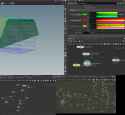
Okay I have never used that specific node but general vellum does have this feature. The cool thing about Houdini solvers and most nodes in general is you can dive inside them and see what they are made of.
>>
File: 1232112.png (75.2 KB)
75.2 KB PNG
>>1004542
>>1004543
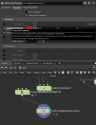
Okay wait I might have something better. Try plugging your sim into a Vellum post process. It has this feature built into the node. See if it works.
>>
>>1004543
Nah i have to use the muscle solver vellum node to do what im trying to do. I'm trying to make characters and animals, not random soft body. I'm following along with the recent very very long tutorial released by side last month. The collision visualization in the muscle solver vellum node is killing me
>>
>>
>>
>>
>>
>>
>>
>>
File: skin shader research.jpg (140.8 KB)

140.8 KB JPG
>>996209
Karma looks like that?
>>
>>
>>
>>
>>
File: T_GemSurface002_M.png (111.7 KB)

111.7 KB PNG
should we make a Tech Art/VFX/Material/Proceduralism thread to incorporate discussion from Unity, Unreal, EmberGen, Nuke, Houdini, etc., because this one's so dead?
>>
>>

>>
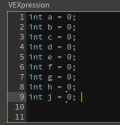
>>1010161
You editor confused by putting an opening curly brace on new line like it's some goddamn c# and having 2 redundant newlines in a place where there should be 0.
Format it like this and show screenshot:
for (...) {
int currentCount = ...;
setprimattrib(...);
}
>>
>>
>>

>>

>>
>>

>>
>>
>>
>>
What am I missing with updating textures in Houdini? It takes some finagling to get certain updates to appear, and sometimes it's recreating the import node entirely to get something to show.
I see there's an "update textures" button in Render up top, but that does nothing largely.
>>
>>1010737
Houdini converts all textures to its own format (.rat) and uses those despite what the file path says.
I think I've run into problems if I'm replacing the original file with the same name where a new rat file isn't generated. Can't remember what I did to fix it or if I just gave up and changed the file name. Try flicking between xpu and CPU. It might force a refresh.
>>

>>
>>
File: Deniveles.png (1.2 MB)

1.2 MB PNG
I'm supposed to reproduce these as an exercice. I'm having trouble with two thing on these
> 1st pic
How did he manage to keep the top of the extruded regions flat and valley like? I tried using a mountain noise on a primitive group (selected randomly which also doesn't give the same effect) but it doesn't work, it's extruded on the normals of each primitives which creates a mess of overlapping geometries?
> 2nd pic
Also after the polyextrude, how did he manage to divide the geometry to have cube like formations instead of only have the surface primitive being extruded.
Don't spoil it too much for me, clues and directions are enough.
Sorry if I don't use the correct words of if I'm too vague.
>>
>>1010754
>1st pic
isn't an extrusion. it's just moving points along the point normal. use an attribute to drive this in a wrangle or vop. attribute noise / attribute adjust float / attribute remap are very useful for controlling attributes.
>2nd pic
>after the polyextrude, how did he manage to divide
1. you need local control over your extrusion
2. you need to change one of the first settings on the extrude node
there's nothing happening after the extrude node.
>>

>>
>>
>>
>>
File: houdini things.jpg (472.5 KB)

472.5 KB JPG
when's Houdini 21 coming out?
>>
File: 1743526437343239.jpg (72 KB)

72 KB JPG
Tell me something. I learned the basics of Houdini, I know how to use VEX, I know about groups and attributes and most of the important nodes for modeling.
But something doesn't click in my mind about which VEX functions or the procedure I need to implement to do something I have in my mind. I lack knowledge about most of the VEX functions + I guess the IQ to come up with a solution by myself.
Is it really an IQ problem or an experience one? What do I do? Spam tutorials? Again...
>>
>>1012508
it's mostly experience and some aha moments
tutorials can't teach you how to problem solve because they're literally spoonfeeding you solutions. sometimes while watching a tutorial you'll have those aha moments about applying the technique more generally however.
projects to tutorial ratio should be 90/10.
if you're scared of failure try to create the end result of tutorial without watching it and if you get stuck you know where to find out how to do it.
>>
File: Screenshot_20250523_104615_Chrome.jpg (1.1 MB)
1.1 MB JPG
>>996209
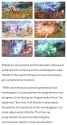
https://www.videogameschronicle.com/news/monolith-soft-says-procedural ly-generating-assets-in-xenoblade-c hronicles-3-reduced-man-hours-consi derably/
>>
how retarded of an idea is it to jump into houdini with no prior artistic skills or knowledge of 3d or programming?
even at animation universities it seems to take them 5 years to develop the skillset required, and they do this stuff several hours a day.
>>
>>1012563
i don't think there's a single open world game that doesn't use houdini for scattering and procedurally placing cliff faces and stuff. except maybe ff7 rebirth where if you look at the rock faces you immediately notice that someone just schizophrenically smashed rock assets on top of each other that overlap and don't match at all.
>>
>>
>>
File: 1743526947978796.jpg (13.7 KB)

13.7 KB JPG
>>1012560
Thanks man, excellent tip
>>
>>
>>
>>1013387
not entirely. i think the less abstract more straightforward stuff looks a bit better right now. thinking of xk's pretty disappointing output lately - mvsm, as conservative as they are, feels like they put out better work.
the ai stuff isn't ready for this high-end kind of advertising work. even veo 3 which i've played around with a little, the quality of the final frames isn't there yet (720p native gen - 1080 upscaled with a horrible algo).
but in that non-commercial art/design area some of the ai work is interesting. the images are just more immediately striking despite all the jank:
https://x.com/loved_orleer/status/1927674961868603470
https://x.com/palekirill/status/1927062237975343180
https://www.instagram.com/11v151131_m06/
>>
>>1013391
also, the kinda very typical houdini looking stuff from someone like paul esteves just feel old
like that offf talk with the alt houdini titles is grim to watch
not a single piece in that thing is good let alone interesting
>>
>>
>>
god damn I want to get into houdini for procedual asset making like environment stuff (cliffs, landscapes, rocks etc) but I just struggle to wrap my head around how to do it even following tutorials. I can't even figure out how to export an asset from houdini to blender
>>
>>
fun little tip:
if you put a 3@transform matrix on your rbd geo before it goes into the sim, the solver will actually update the attribute for you
came in really handy for instancing back geo onto emitted objects where the emission source was not static
from several million polys down to a single packed geo instanced a few thousand times
>>
>>1013683
specific for this case it goes like:
1. pack geo
2. copy to points with moving points to emit from different place every frame
3. unpack geo and get the packedfulltransform matrix. write that to 3@transform
4. rbd configure and sim and emit as normal
5. get sim points from solver, copy transform matrix onto them from the geo by matching name
6. delete other instancing attribs
7. copytopoints the geo you packed in step 1
>>
>>

Does anyone know how to make this pattern in houdini?
>>
>>
>>
>>
>>
>>
Thinking about getting into houdini. If I know python and some c++ can i skip learning Vex?
Also, can anybody vouch for this tutorial: https://www.breakyourcrayons.com/houdini-cloud-simulation-course
>>1003718
>You can't download a scene file not from official sidefx website because thats not safe
Wat
>>
>>996209
Beginner here, any good courses/tutorial where they fully explain how particles simulate and how each node/param/expression affect them? Sometimes when i'm watching tutorial on how to make x they briefly explain about manipulating particles but never fully delve further into that topic
>>
>>1015517
>If I know python and some c++ can i skip learning Vex?
Vex is just a tool to get something done in Houdini. What you are saying makes no sense. Maybe if you didn't know python and some C++, you would skip using Vex? Either way you're retarded and didn't even bother researching Houdini before writing that.
>>
>>1015517
Vex has (mostly) c style syntax so you should be able to pick it up very quickly. Python is not a substitute for vex because it's not multi threaded and much much slower. That said there's nothing stopping you from manipulating most things with python.
>>
>>
>>
>be me
>hear Hoidini is super hard and expensive
>write it off and forget about it for a decade
>be super interested in simulations
>learn blender's geometry nodes and python api and gpu concepts and shader programming basics and C/C++ to add nodes for myself
>lots of fun, get confident
>remember houdini
>try it
> it's all the same shit I've been doing for 5 years, just put together a little better
>everything seems easy just need to learn the UI
Is there any money left on the table or is my post-ai arrival to Houdini too late to make any money with it?
Still a fun toy either way.
>>
>>
>>1015937
>vfx, visualization, advertising - already dying for non-ai reasons, mostly dead in ~5 years (see: runway aleph)
>vidya - 5-10(?) years
there were a few houdini roles out there for generating data for machine learning, but i think i've only ever seen like 3
>>1015946
modelling in the viewport feels bad, but you can customise things to where it's tolerable. the core tools like bevels and extrudes are very good though, so it's the best option for procedural modelling.
it's very stable, with the exception of the new COPs context which is in beta. buggiest thing is the viewport getting stuck once in awhile and needing a reset (there's a menu option for this in the official labs tools), which is an inconvenience.
>>
>>
>>
>>
>>
>>
File: Houdini Absolute.jpg (97.7 KB)

97.7 KB JPG
>>1016386
mpm and cops are crazy
release wen?
>>
File: file.png (69.3 KB)

69.3 KB PNG
>>1016461
post-covid box-office decline is real. lost income from that never got completely offset by streaming deals.
didn't help that it happened almost exactly the same time as vfx heavy capeshit domination of the box office began to end + writers strike droughts
that capeshit domination and constant underbidding over a period of a decade had created unsustainable pipelines that immediately began to crumble, even in places like india where a lot of work got outsourced to because of costs.
now add models like aleph to the mix and you'll see budgets get cut and ultimately most junior shotwork will simply get done by compositors on big productions, or by one-man-editor-fx-comp guys for smaller projects. paying junior salaries so some kids can do dust hits makes no sense going forward.
>>
File: Kiichi-Fujimoto-Cromartie-High-School.jpg (68.2 KB)

68.2 KB JPG
I need some help on the following if anyone might have some ideas:
I'm trying to implement a procedural city tool. The catch is that I try to automate/procedural(ize if that even exists as a word) as much as I can for the following features (so far)
- A terrain generator
- An urban area generator
- Street/lots generator
My issue is connecting the terrain to the urban area tool, as well as the urban area tool to the streets layout tool (tools = HDA's obviously).
My problem is how much control I lose over my streets layout. I'd like to have some verticality and explore in real time the changes I'll make whenever I feel like it.
So how can I do that?
I thought of either
- Just manage a ton of curves (pain in the ass)
- Feed it an image as an input (much looking like pic related) and create the curves from that (less of a pain in the ass but longer times to edit)
But since I'm a total amateur, I feel like there might be another way?
>>
I was hoping some Anons here could clarify because Google isn't helping much. But from what I understand, Houdini mostly uses the CPU for simulations, but can use the GPU for some as well. What kinds of simulations are faster and practical on a GPU compared to a CPU? Like yeah, CPU will always be more accurate, but if I can dramatically reduce the time spent simulating I'll take the minor hit to accuracy.
>>
>>1016940
FLIP is CPU
RBD/bullet is CPU
Pyro sparse is CPU
Pyro minimal is GPU
Axiom (third party) is GPU
Vellum is primarily CPU with some GPU acceleration
Vellum minimal is primarily GPU
MPM is GPU
Forthcoming Otis solver is GPU. They're only doing muscles on it for now I think but it is just a vertex block descent solver so it might eventually replace vellum for a lot of stuff
The GPU solvers are not less accurate than the CPU ones. They'll just have limitations or constraints. Besides, you're making art - if you need real-world accuracy you shouldn't be simming in a VFX program
>>
>>1016945
Thanks. I'm still extremely new to this and going through that big fuckin' course posted somewhere above. The video examples of Vellum minimal I've seen and MPM look pretty cool. Seems like they're more designed for scenes of a smaller scale.
>>
>>1016946
Scale has been an issue for GPUs because of vram issues, but things are changing - the 3090 making a jump to 24gb and axiom showing up around the same time meant a lot of pyro work in production moved on to GPU because its like an order of magnitude faster. The new fracturing workflows for mpm on h21 will make it a lot more useful as well.
Oh and somewhat related because they're doing Sims inside COPs now, but that is all running on GPU as well.
>>
File: Screenshot_2025-08-17_11-00-43.png (202.3 KB)

202.3 KB PNG
>>1015937
here. In blender everything is a 'data block' which is basically a C-like struct with the feature that it can be read by blender. This leads to a 'data api' which can be used to dive into any part the file (object, material, anything and everything) and see what 'owns' what, and trace everything down to the raw int, float, or char data (as the case may be). Provides a really good foundation for understanding WTF is going on in your file.
Is there a similar 'foundation' in Houdini? I know there's a geometry spreadsheet, but depending on which node I have selected inside of a geometry, it shows different stuff.
What's like the endgame vertical slice of "if you understand how to X, you know your way around well enough to figure out any Y"
>>1016945
Is there a setting somewhere I should check to make sure houdini is using my 4080 when it can?
>>
>>1017061
if your gpu is set as the opencl device edit > preferences > misc, then it should just werk
bear in mind you're not going to see 100% gpu utilisation in most cases. e.g. in regular vellum the gpu is just used for neighbour search i think.
re: some sort of human readable version of the file, i don't think there's anything like that in 'native' houdini. however, if you're in solaris, the human readable usd files basically look like xml file.
sounds like you probably want to enable dependency links in the network view though.
>but depending on which node I have selected inside of a geometry, it shows different stuff.
i'm probably misinterpreting this, but the geo spreadsheet is just showing data on the mesh the node is acting on and reflecting the changes made by the nodes; it isn't like a per-node view or anything like that. it's reflecting data flowing through the network. in sop land these days data exclusively flows down the network and nodes further down don't pass data back up the network (used to happen a bit pre-houdini 16 because of the old copy stamp workflow) so it's pretty easy to follow data flow.
that said, people (like me) will just make giant networks inside a single geo container now instead of actually splitting things up in separate geo containers. then they'll just have a bunch of nulls at the end that get merged to their own sop level containers because rop rendering parms are on those.
these days i just use solaris so i don't even do that and sometimes all my sop work is literally in one geo container.
>>
File: 822550959271.jpg (2.1 MB)

2.1 MB JPG
aaand we're in
>>
>>
>>
>>
File: Where is my custom vertex group.jpg (1.2 MB)

1.2 MB JPG
Question for you guys. I'm trying to access vertex groups created in Blender (and exported as an .abc) in Houdini. A quick google search said I should be able to find the vertex groups I created in Blender in any group drop-down menu in Houdini, but they're not there. I created this super basic statue with a vertex group on Suzanne's head (the monkey head), but as you can see in the group drop-down menu, the vertex group (which I named MonkeyHead in Blender) is not there.
How can I access my vertex groups made in Blender in Houdini?
>>
File: 695555599293.jpg (743.5 KB)

743.5 KB JPG
>>1018128
pretty sure you need to use face sets and blender doesn't auto convert vertex groups to face sets.
export as usd from blender instead; defaults should be fine.
use unpack usd to polygons.
your vertex groups come in as point attributes (floats for some reason) with _group suffix.
in pic-related the vertex group was named 'test'
>>

>>1018129
I'm kind of getting it, but it'd not quite there yet. You can clearly see it has the attribute, and I can even move those points with a pointwrangle node. Points that are not part of the "MonkeyHead" vertex group have a value of 0.0. But I can't for the life of me figure out how to access it as a group. I tried writing what you have, `@[vertex_group_name]_group=1`, but that didn't work for either the blast node, or the transform node. There has to be something simple I'm missing, or something simple I can do to create a group from the points whose attribute value for MonkeyHead > 0.
I'd like to use this for breaking only the monkey head in an RBD, or emitting points from only that group (or scattering points only along that group).
>>
>>1018137
Note group type on my blast node is set to point as opposed to the default auto setting. When using a vexpression like this you need to specify what part of the geo the attribute is on
Also I guess I was wrong about the group suffix thing. In the blast node your expression would just be
@MonkeyHead=1
Btw you can also group things via wrangles. There's a setpointgroup() function, but you can use a shorthand. Say you wanted your group to be called monkey you could do
i@group_monkeyhead = 1;
Inside your if statement.
Or without a conditional it would just be a 1 line wrangle
i@group_whateveryouwanttocallthisgroup = int(f@MonkeyHead);
Also worth keeping in mind that when doing vexpressions in like the blast node you test for equality with a single =. In a wrangle you need to use == to check for equality.
Takes a second to get used to these quirks
>>
>>

>>1018142
>>1018143
>Also worth keeping in mind that when doing vexpressions in like the blast node you test for equality with a single =. In a wrangle you need to use == to check for equality.
Ah that was it. I always wondered what that did coming from a programming background, where '=' is an assignment operator, and "==" is a logic operator. That shit is kinda whack in Houdini but whatever. By changing the text in the Group Field to "@Monkeyhead=1" (or "@MonkeyHead>0" for potentially more clarity), the blast/transform/etc nodes are working as intended. So the workflow is:
>Create vertex groups in Blender
>Export from Blender as a .usdc
>Import into Houdini with usdimport and unpackusd
>Then access the vertex group with @[vertex_group_name]=1 (assuming you want to manipulate the points belonging to that vertex group)
Thanks for all the help, Anon. I knew it shouldn't be that complicated, but I'm still pretty new to all this Houdini stuff. I'm about halfway through the POPS chapter Chris's course. The last question I have for now is why export the file as a .usdc from Blender instead of an Alembic from Blender? I thought Alembics were more common for Houdini?
>>
>>1018148
alembics aren't uncommon but there's a big industry-wide push for USD to become the de facto interchange file format.
sidefx have invested a tonne into this and you'll eventually get to the solaris/LOPs part of houdini that is entirely built around the USD standard.
the USD spec is a lot more than just mesh data, it can store attributes, lights, scene heirarchy, low-res proxies, materialx data.
if you're careful, you can right now export a full scene from houdini, with cameras, lights, meshes materials etc and bring it into something like maya and hit render and it will just werk - if the materials follow the materialx spec only (with no arnold specific nodes) then you can switch render engines as well (hydra delegates) - most have decent usd support now.
there's big-studio adoption, but individuals are still a bit scared of it but it's only a matter of time before it completely replaces obj/fbx/abc.
blender's been dragging their heels a bit and i think there are parts of their implmentation that's still broken (i think they still have trouble converting uv coordinates properly sometimes), which is a bit disappointing, but full USD support is inevitable.
>>
>>
>>
File: lcd knife.png (890.6 KB)

890.6 KB PNG
>>1018208
it takes 3-4 production builds before things get stable
stick with 20.5 for important projects until then
>>
>want recursive list of neighbours of neighbours
>want normalised values starting from the first point
>want to multiply an attribute down using normalised values
>give llms a shot
>gemini pro fails
>claude 4.5 fail
>gpt-5 thinking one shots it
impressed / it's over
didn't even realise you could multiply existing attributes using the setpointattr function.
setpointattrib(0, "width", pt, w, "mult");
>>
>>
>>
>>
>>
>>
>>
File: Houdini animation problems.jpg (1 MB)
1 MB JPG
I've got an interesting problem I'm trying to solve. I'm trying to import this Blender mesh into Houdini. The mesh has vertex groups, and if I import the mesh as a USD, I can see those vertex groups in Houdini (pic related). I can then treat them as any other group in Houdini with a blast node, emit points from them, etc. The problem is when I import it as a USD, I lose the animation on it. The mesh has an incredibly simple rig, which just lets me move the monkey head and the two cylinders behind it around (the rig has 3 bones). I've animated the cylinders in Blender, but when I bring it into Houdini as a USD, the animation goes away.
If I import this mesh into Houdini as an Alembic, the animation IS there, but then I lose all the custom vertex groups, which you can see in the picture, Left is the Alembic info (after an unpack), and the right is the USD info (after an unpack). I want to get BOTH the animation and the vertex groups into Houdini, and I don't know how I can achieve that.
>>
>>
File: head squish.jpg (1.1 MB)
1.1 MB JPG
>>1024430
Thanks. I made that post a day before I learned about tetrahedrals, so that solved some concerns with cloth I had. I'm trying to apply soft body dynamics to an animated character. I did the Vellum chapter of Christian Bohms course, and I looked at a couple tutorials, https://www.youtube.com/watch?v=XW_1rCr9gmo and https://www.youtube.com/watch?v=g99 mt0xWCQs, to get a better idea of how it works with animated characters. Unfortunately there's basically no resources for working with USDs outside of the Solaris part of Houdini. Thankfully, the workflow was fairly similar to the second tutorial. The character follows the animation I made for him in Blender (I added 20 or so frames of nothing at the start so the tet sim could settle), but his head basically didn't deform at all when he pushes his hands against it. It deforms as expected when collision geometry is added to the mix, but it doesn't seem to deform when he tries to squish himself.
I assume this is because the strength of the tets in his hand are the same as in his head, so of course there would be no reaction because they both have the same mass or something. Should I convert the points on his hands to Vellum rigids or something? Or is there a way to make the tets in his hand "stronger" so they deform his head?
>>
File: point deform problems.jpg (977.5 KB)
977.5 KB JPG
In today's episode of a faggot learns Houdini, I ran into issues trying to use a point deform on a Vellum Solver with 2 different cloth objects in it. The setup is very simple: each sphere is assigned to its own group and fed into the vellum sim. The cloth constraints then only act on 1 specific sphere, so they can each have their own properties. This works completely fine. However, I can't for the life of me figure out how I can apply a point deform to a specific sphere. I wired a Blast node to the geo output of the Vellum Solver and deleted sphere1 as you can see in the picture. The "output" of this blast is now just sphere2. The point deform takes the original sphere as a first input, the first frame of the remeshed sphere as the second input (using a timeshift node that only looks at frame 1), and the output of the Blast node (which is the deformed geometry). Yet nothing fucking moves.
I haven't had issues with point deforms when only 1 object is being affected by the Vellum Solver, the little test sim in the upper left worked exactly as I expected. But I have no idea why the bottom sim isn't working. I'm clearly able to isolate specific geometry with the blast node, but the point deform node just refuses to acknowledge it.
>>
>>
File: point deform solution.jpg (1.1 MB)
1.1 MB JPG
>>1024559
I actually managed to solve it with a new strategy, AND fix the old one. The issue with the old one in >>1024541, was the pointdeform2 node was set to only work on the group: sphere2. Problem was, the first input wasn't part of that group when it was fed into the point deform node. Simply erasing the entry into the group field of the pointdeform2 node got it working as expected. Before I solved this, I made a second, more hacky way of doing it by giving each mesh a custom attribute, and then sorting for that out of the Vellum Solver. Though, now that I know what the issue was, the custom attributes aren't needed (the groups still are).
This stuff is neat. I can see why people go into it as a job. Shame the industry is in shambles.
>>
>>
>>
>>
>gemini knows opencl
>gemini doesn't know about copernicus
>can be helpful to ask it about opencl but have to provide a tonne of context every time
>learn about skills
>decide to build skill
>point gemini cli at houdini installation folder
>tell it grab all the cops docs and the opencl for vex users page
>sidefx inadvertently structure their help in a way that's actually perfect for llms
>docs good enough for cops but not enough for opencl
>remember every cops node is basically filled with opencl
>too tedious to manually get it all
>ask bot if it can find it
>it manages to locate the otl the cops nodes are stored in
>uses a houdini utility that i never knew about to extract the otl
>gets stuck
>provide some sample code from one of the nodes
>realises it's probably in the gzip in the extracted otl
>extracts the gzip
>realises the type of encoding used on the extracted file
>converts it to plain text
>extracts literally all the opencl code in COPs
>grabs more opencl from .h files
>builds a library for itself
>ask it to build a skill
>builds a skill
>installs it
it now just answers questions about cops and the opencl it writes contains 1 or 2 small errors at most and it can fix them itself
i'm impressed and a little unsettled
>>
>>1025690
also just to show i'm not bullshitting, i asked to recreate:
https://blog.maximeheckel.com/posts/shades-of-halftone/
and it one shotted this:
https://pastebin.com/tjXhRRrE
i got the mcp server working as well, so it even made the node and dumped the code in
>>
>>
File: 141021084656-01-king-tut.jpg (44.7 KB)

44.7 KB JPG
>>1025953
>>
File: PoopJeets Taking your JOB.png (3.2 MB)

3.2 MB PNG
>>996209
roh oh
IZZAT INTESIFIES
>>
>>996209
I've been getting into Houdini after being frustrated from simulations in Cinema and B******, I already have foundational knowledge of houdini things like attributes and basic vex.
I was wondering what would be the best system/solver to learn first? I haven't really looked into it much so I don't really get the difference or why you would use MPM over Vellum for a grain sim. If you have any guidance I would love to hear it.
>>
>>1026086
quickly do POPs just to get a handle on dop networks. spend max 2-3 days on this.
then move to vellum.
then pyro.
then flip.
then mpm.
mpm is nice and enables some niche behaviour that wasn't possible before, but the other solvers are sill less hassle to use for the things they already cover (i.e. 95% of what you'll need)
there's a chance vellum's solver gets replaced for a lot of stuff with the tech that's powering the muscle solver, but they seem to building that stuff to be a drop-in replacement for vellum so workflow shouldn't change much.
>>
File: houdini_hBpQZVXeBQ.jpg (413 KB)
413 KB JPG
I am new to houdini, anyone got a good course to recommend for someone who is advanced in terms of normal modeling/sculpting (zbrush etc)
this node shit is scaring me
>>
>>
>>
>>1026260
yeah you have to rewire your brain a bit for houdini, but it'll end up making you a better artist in those other tools as well.
most other 3d packages tend to build artist-friendly abstractions and make it really hard to work with the underlying data - houdini just gives you access to most of it so you so end up with a much deeper understanding. it will punish you for not knowing shit for awhile, but it's worth powering through - you'll be smarter on the other side.
>>
>>1026260
The best approach is to see someone else's work that you find cool (not a tutorial, just pure visuals) and try to recreate it. The best results are also when you have a project and need that thing for it, that will make it fun instead of l'art pour l'artistic (autistic) learning, you will get burned out. Use paid GPT (cheapest one), create a Project, upload all the docs, all the files etc. Like this guy >>1025690 - but it doesn't have to be gemini or cli or a skill. It will tell you what to do and it (probably) won't one shot it. Then you describe to it what you see. The shitty AI will then fix one thing but break another. Then you tell it what happened. I've been doing insane python shit and I have a rudimentary knowledge of what 'if' and 'else' is. You just have to be persistent. Even if it doesn't solve it, you will learn A LOT in the process. Then when you watch other tutorials you will be faster. Vibe coding works for Houdini too. You can just ask the Chat Jeet Pee Tee to explain why he did something.
>>
File: UnrealEditor_vnhRlCQQCg.png (330.4 KB)

330.4 KB PNG
>>1026295
Will follow your advice, after I go through christian bohms tutorial I want to dig heavily into Unreal engine related stuff since I have the Houdini Engine™.
desu probably gonna vibe code the hell out of Vex.
>>
>>
File: Houdini - which one are you?.jpg (95.6 KB)
95.6 KB JPG
are you guys not aware of AI?
everything you learn today will be done better and faster by AI.
You think using complicated software will save you?