Thread #9127196

File: 4625add2c0d84c.mp4 (2.7 MB)

2.7 MB MP4
Post about 3D animation, mainly lewd. Share your favorite clips, WIPs of your own projects, and feel free to ask questions or share tips and advice. This thread is to encourage the making of one's own content.
Note: for any beast content, upload to Catbox and link to it here.
Tutorials:
>General Blender course for noobs
https://www.youtube.com/playlist?list=PL3GeP3YLZn5gZhJhyIQPKoz9Yrs9oKU 9R
>Quick Tips & Tricks
https://www.youtube.com/playlist?list=PLZpDYt0cyiuuIU6iLZXex0BN7MdyK-T JJ
>Quick Animation
https://www.youtube.com/playlist?list=PLZpDYt0cyiut1oZv6zyWgDnyBJu4U1j wJ
>Quick Rigging
https://www.youtube.com/playlist?list=PLZpDYt0cyiusytIPAOTPRzsa4GK6LgY 3_
>Various NSFW tutorials for rigging, lighting, animation, etc.
https://rule34video.com/tags/66334/
https://smutba.se/tutorials/
https://drive.google.com/drive/folders/1BkXOBk0yyhApFJANP4x0AL2mAQ1f5U HA
https://archive.org/search?query=creator%3A"Anime+Nyan"
>How to animate a sex loop (demonstration)
https://rule34.xxx/index.php?page=post&s=view&id=10537089
>1 minute tutorial for animating characters
https://youtu.be/TjJLIuFKA20
>How 3D works - For Dummies
https://youtu.be/181JQ7ypS3w
>In-depth general Blender animation course (44min)
https://youtu.be/JQT9sT1YuAI
>Character animation for impatient people
https://youtu.be/GAIZkIfXXjQ
>Professional-grade animation workflow for beginners
https://youtu.be/v71G6TCw_0M
>Layered Animation workflow
https://youtu.be/cdj0YytsHSI
>3-minute NLA (Non-Linear Animation) Editor tutorial
https://youtu.be/mfdufhaiKtI
>Using Poses & the Asset Library
https://youtu.be/b9Un_JpIs4A
>Linking Assets
https://youtu.be/Ghl_glWr8xk
>Using "Child Of" constraint
https://youtu.be/zjz_9v29Rmk
45 RepliesView Thread
 Showing all 45 replies.
>>
File: ea1120779fdf14ebb18a977b916087e0.mp4 (2.9 MB)
2.9 MB MP4
Resources:
>NSFW models, scripts, and tools
https://smutba.se/
>SFW models, maps/sets, and tools
https://open3dlab.com/
>Build-a-Harness (procedural body harness maker)
https://smutba.se/project/e5d0eca2-6e1e-4143-84b1-914dacafc4db/
>Practice models
https://files.catbox.moe/gffh2m.zip
Free addons
>Mustard Simplify (boost viewport performance)
https://extensions.blender.org/add-ons/mustardsimplify/
>DuBlast (make playblasts easily)
https://rxlaboratorio.org/rx-tool/dublast-for-blender/
>Playblast, Animation Layers, & more! (Simple, yet powerful tools)
https://github.com/evilmushroom/blender-tools-collection
>Offline Texture Upscaler inside Blender
https://github.com/haseebahmed295/Texture_Upscaler
>Jiggle Physics
https://extensions.blender.org/add-ons/jiggle-physics/
>Camera Rig
https://extensions.blender.org/add-ons/add-camera-rigs/
Paid addons
>Proxify+ (massively boost viewport performance)
https://superhivemarket.com/products/proxifyplus
>Animation Layers
https://superhivemarket.com/products/animation-layers
Make your own customizable models to use and share:
>Tool similar to Make Human, works directly inside Blender
https://github.com/Upliner/CharMorph
>Tutorial
https://youtu.be/2uF7j2VULjM
>How to make a base model for CharMorph
https://charmorph-docs.readthedocs.io/en/main/Custom%20Characters.html
https://charmorph-docs.readthedocs.io/en/main/Character%20editing.html
>>
Gifdoozer's tuts
>Part 1:
01. Introduction & porting
02. Rigging
https://mega.nz/folder/eFkzzYaR#lF-HfmQNzHF7egPKe71Ncw
>Part 2:
02. Rigging - Cont. 01
https://mega.nz/folder/aYEyRaRJ#y0HDInTBDBp4OL30g75rmQ
>Part 3:
02. Rigging - Cont. 02
https://mega.nz/folder/SBFBgKaS#bbT-6GfdbebGTtoj9GnvAA
>Part 4:
03. Animation
04. Tips & tricks
05. Lighting
https://mega.nz/folder/jIszGY5Z#f900JkqBsx_LSjLVKDw08A
>Part 5:
06. Textures & shaders
07. VFX Fluids etc.
08. Clothing & Outfits
09. Body Modifications
https://mega.nz/folder/DlAQ3SYR#NBOAmzuXtATCI_LUdn4WLg
>Part 6:
10. Tentacles
11. Re-targeting Animations
12. Daz to Blender
https://mega.nz/folder/mYlzkbBT#qvuP8SuSZNX76mPBWdVCig
>Part 7:
13. Physics
https://mega.nz/folder/0RQG2CZS#F40pz9nxung9vCrcxKnDjA
>>
File: bcb3dbd809c2b4d15746bed068b79668.mp4 (1.2 MB)

1.2 MB MP4
Happy Year of the Horse, everyone! Hope to see some of you working on horse themed projects, this year (remember to use Catbox). And I hope the last few months have been decent for everyone.
>>
File: Cammy stretch pose.mp4 (3.6 MB)
3.6 MB MP4
I've made some updates to the pasta links, especially the general Blender course, plus an actual video tutorial for CharMorph. Hopefully people will make a decent nude model for it, so more people can just stick with using Blender instead of also having to deal with Daz.
>>
File: 1764993960095.webm (2.5 MB)

2.5 MB WEBM
Speaking of Blender, the devs are working on not only reworking the animation editors to be way more friendly to animators, they're also working on building animation layers as an internal feature rather than just something addons provide. So, this year is looking pretty good, right now.
>>
File: 27c4b5df588c6ee1c3297dfebd4579b.mp4 (1.6 MB)

1.6 MB MP4
Also, a reminder that not everything needs to be a sex loop. And, if you are working on animations for a project, like a game, WIPs and questions and anything else is very much welcome.
>>
>>
>>9127256
Thanks! I hope they get traction again, too. They seemed to be doing alright for a while. I stopped posting them for a while due to personal things that occupied my time and energy, but I wasn't sure if anyone would try to keep them going in my absence or not. Oh, well.
Thankfully, with all the new stuff happening with Blender, it seems like an even better time for people to get started. So, hopefully we'll see people dipping their toes into it and others will offer quality help and support here.
>>
File: 97b26bc50feb8ce84245d90a3ee03938.mp4 (2.5 MB)

2.5 MB MP4
>>
>>
>>9127217
animation layers already exist, it's called the NLA editor
i thought what they were doing was decoupling the action system from being strictly for one object so you can make a two person sex animation in a single action and have it affect both armatures at once
you could also then animate your materials and shapekeys and anything else in there too from what i understand. will be pretty nice if they pull it off
>>
>>9128693
>animation layers already exist, it's called the NLA editor
The underlying architecture is present in the NLA editor, yes. But, I mean they're going to be replicating the user friendly ways of interacting with it that the Animation Layers add-on provides.
>i thought what they were doing was decoupling the action system from being strictly for one object so you can make a two person sex animation in a single action and have it affect both armatures at once
>you could also then animate your materials and shapekeys and anything else in there too from what i understand. will be pretty nice if they pull it off
They already have in 4.3(?), actually! They're now moving to deprecate the Timeline editor and turn the Dopesheet editor into an Animation editor. The deprecation has already started by adding the playback controls of the Timeline editor to others (Dopesheet, VSE, etc.), but they're still apparently figuring out what exactly they want this more unified "Animation editor" to be.
>>
File: c672b0be69cf118a436003bf5144e0f.mp4 (1.8 MB)

1.8 MB MP4
>>9128693
Actually, it was added in 4.4, apparently. Also, it seems that they're refactoring the NLA editor and I think it's being merged with the Dopesheet to create the new thing, but that's being done in incremental phases.
You can follow the Animation & Rigging module's meeting notes here: https://devtalk.blender.org/tags/c/meetings/28/animation-rigging
>>
>>
>>
>>9129864
I haven't watched them, so they may not be helpful, but here's some from the Google Drive link in the first post: https://drive.google.com/drive/mobile/folders/1BkXOBk0yyhApFJANP4x0AL2 mAQ1f5UHA/11kq3rzT1JbKs58OCFNuMO5xo o6pK_FIp/1ginbrPV7JQQ6tXeCgO0XXyePL _0yAmZF?sort=13&direction=a
>>
>>
>>
>>9130521
honestly the animations I find the most hot are the ones without fluid animations, where the creampies are implied by sounds and visuals
i.e. audible squelching, throbbing balls, the women's legs shaking, slight belly inflation (from the cum), etc.
even just an audible creampie is often enough
what you could do as an alternative which some people do, is animate the thing in 3d, but draw in the fluidsin 2d frame by frame in after you've rendered the 3d stuff
Arcane is a good example of combining 2d and 3d elements in this way
>>
>>
>>
>>
>>9130746
>>9130746
You're welcome! I hope it does help you. I might need to watch them, too, since I tried to model a vagina on a non-nude model and...it didn't go well. Lol
The second attempt was better, but not enough. So, I tried just doing a "vag hack" by taking some geometry from one of GeneralButch's models (Widowmaker) and stitching it onto the other model, which...kinda worked, I guess.
>>
>>
File: 1e3d7f44e26a8c1611cb2f95c730d6f3.mp4 (1.7 MB)
1.7 MB MP4
>>
>>
File: widow walk.webm (4 MB)
4 MB WEBM
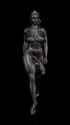
viewport render of a walk cycle i finished a while ago, i don't have a lot of animation experience so it's not great but oh well..gotta start somewhere. Also learned how soft body works during this so that helped. And i kinda hate it (the whole baking, delete baking, try other settings, rebake bullshit). I think you can achieve this without sims, with bones but i have no idea how to set that up. Still, the jiggles turned out ok. The only issue is in a looping animation they settle down eventually, even if i added some noise and keyframes to the gravity field....the cycle loops like idk 20 times of not more, so eventually the jiggles stop. But it's fine, this was just a test.
>>
>>9134357
That's not bad. I can see what you mean about the physics. I don't have any experience with mixing simulations and animations, yet. So, I can't help with that, especially for a loop. But, maybe somebody else might have some ideas.
Awesome share, btw.
>>
>>
>>
>>9135016
maybe 2-3-4 minutes/bake/body part (i have 4 soft body jiggles there - boobs, tummy, thighs and butt) so each has their own settings and separate bake. Add to this all the trial and error to get the jiggles right and it stacks up. Plus if i adjust the walk cycle animation in any way i have to rebake every time. But it was a good learning experience
>>
I am trying to mod Deadlock, I have basic knowledge of 3d and 2d but have never used blender (mostly daz, octane etc), is there a guide/tutorial to learn how to replace model's bodies? or do i have to make the new bodies from scratch
>>
>>9135619
you should be able to modify the mesh however you like but it needs to be weighted to the original armature (transferred from the existing body, autoweighted using the armature or manually weight painted)
you can extract models with source2viewer so i assume it has some function to export models back to the source2 format for the game, i don't know about packing them back into the game so probably find a guide
>>
>>
>>
>>
>>
File: 5ccf909eb86045d6646f54fff23f2ee1.mp4 (1.1 MB)

1.1 MB MP4
>>
>>
File: 2edb15fefc7c8e2730f93e393ed2ec34.mp4 (1.4 MB)

1.4 MB MP4
>>
>>
>>
>>
File: a897977d3c11213791803997184bccef.mp4 (1.5 MB)
1.5 MB MP4