Thread #7864031

File: 71yXenvgmqL._AC_SL1500_.jpg (115.3 KB)

115.3 KB JPG
Why you should not trust youtube shills:
https://www.youtube.com/watch?v=VH1WEYF8rlA
https://www.youtube.com/watch?v=Twy5Wo8m284
Do not worry pressure levels. 1024 is more than enough.
Remember to ignore all chinese shills. They often post paid twitter promos from random artists. It's all shilling, ignore it.
Recommended tablets:
>Screenless:
Used Intuos 3, 4, 5, Pro, One by Wacom
>Display:
Small (10-11"): Samsung Galaxy Tab S6 Lite
Medium (12-16"): Samsung Galaxy Tab S8/S9 Ultra, used iPad Pro 12.9" Gen 1-5
Large (22"+): Cintiq 22, Cintiq Pro 27, used 24 Pro, 27QHD
Avoid:
>XP-Pen, Huion, Gaomon and every other Chinese brand making Wacom imitations
Poor build quality, pens with wavy lines, wobbly nibs, broken tilt, issues registering light pressure, terrible customer support, uncalibrated displays. All Chinese brands have the same problems. Check out the webm to understand how bad they are.
Do not be fooled by myths like "Chink companies are just as good as Wacom now" - they've been saying this for over 10 years, nothing has changed.
Chinese companies have also been proven to shill on 4chan. You will see dozens upon dozens of posts in this thread by a chinese schizo shill, who will either be bitching about the OP, gaslighting as a Wacom fan, making pointless spam posts or giving terrible advice (like recommending Huion). Just ignore and report him.
>New iPads
Massively overpriced and overhyped.
>Microsoft Surface Pro
More optimized for palm rejection than good quality drawing. Wobbly lines when drawing slow and straight.
>Cintiq 13-16"
Completely outclassed by the Galaxy Tab Ultra & iPad
>Lenovo
Worse than Samsung in every way.
Previous: >>7818253
281 RepliesView Thread
 Showing all 281 replies.
>>

>>
File: 1707290574113806.png (1.4 MB)

1.4 MB PNG
>>7864031
>>7864033
>>

>>
>>
File: 20260103_114013.jpg (769.8 KB)

769.8 KB JPG
>>7864031
I'm still loving my Tab A8 with a capacitive stylus, as bad as that sounds, a good capacitive stylus with a matte screen protector is pretty good if you're on a budget.
>>
>>
>>
>>7864444
Parallax? Check the drivers to see if you can calibrate your screen. That shit never goes completely away, it's barely noticeable in mid-high high tier screen tablet but those costs way more than 50 euros. Yeah you constantly fight against the monitor with digital, you just have to live with it.
>>
>>
>>
>>7864476
when you calibrate it, hold it the way you want to and in the position/angle you use it in and it will be slightly better
but older/cheaper tablets are always a bit off, especially towards the edges of the display. on some you can hardly click on UI elements in the corners
>>7864532
mine has two buttons so I use one for right clicking, helpful for UI/menus. second is alt+right click, then you can drag to change brush size/softness in photoshop
>>
>>
>>
File: f21331f.jpg (57.3 KB)

57.3 KB JPG
I have a cintiq pro 13 for a while now I am considering a new cintiq 16 or a larger used one mainly because I want one that works on a vesa arm instead of the shitty tablet holder arm im using currently
>>
>>
>>7864949
Same. I'm considering upgrading from a 2017 Wacom One but I don't have enough space because I still use the same desk my parents got me when I was like 12, I'd have to also get a new adjustable height desk with one of those fancy robo arms for drawing tablets but... is it really worth it to drop 1k on just the desk setup? Eh.
>>
>>7864031
Reminder that OP is a faggot who doesn't even draw, paint, or sculpt.
He literally only lives for making these retarded threads.
He's the equivalent of a basedddit moderator.
Wasting his life a way. No actual skill, no talent, no real passion, nothing to look forward to, except for that dopamine hit of "managing" his personal thread.
Professional artist here. I've been using a Huion Kanvas Pro 24(4k) for a few years now, no problems so far. I really like how the pen feels, and both pen tips types feel good imo. I usually use the plastic one for whenever I'm using Zbrush, or painting, and use the other for whenever I'm drawing or sketching.
Would recommend it, better than any of my previous Wacom tablets, but I have never tried the Cintiq, but from what I have seen, I don't think it would be worth the extra money.
OP, this is the Chinese century. Get used to it, faggot.
>>
>>
>>
File: one s wacom.jpg (121.2 KB)

121.2 KB JPG
I have pic rel and it was good on my 1080p monitor, but now Im using 1440p monitor and when I slowly draw I can see wobbles (especially in adobe animate), so I want to buy new tablet.
Small size is cool because I don't have enough space and I don't like to move hand but idk if it does matter? Does tablet size matter more or LPI? Is getting same size tablet with more LPI fix the issue?
>>
>>7865603
Surprisingly, I really enjoy my large intuos pro 3, I believe is the generation. It's a comfort thing, and at first it can be exhausting to move your arm so much. After a while, I got used to moving my shoulder more, while made my lines much more consistent. I was lucky, and I got mine for 50 usd and a compatible pro pen for 30, so 80 usd total, plus a 2 dollar micro USB cable I had lying around. If you can, I'd definitely advice going for the the largest size you can manage, and if that's a medium, then get that.
Also, don't buy a screenless wacom as new. If I were to buy a brand new screenless tablet, and it's not wacom, I would consider buying an XPPEN's Deco Pro Gen 2. In my case, I'd buy the largest option, but you'll probably want the medium, if space is a priority. It's seems really good, and the pen looks very comfortable, which a lot of not-wacom tablets struggle a lot with.
The smallest one is slightly larger than the Wacom One you're using, but I'd try to make space for something bigger. Your wrists will thank you in the long run.
>>
>>
>>7865642
They are, which is why I bought a used one, but a lot of people online swear by the Deco 2 series, so take it with what you will. Reddit seems to like it, and they are notoriously obnoxious. I'm getting one soon, if that's a consideration, though I'm still saving up for one in my hobby budget.
>>
>>
File: file.png (182.1 KB)
182.1 KB PNG
>>7865495
Damn, what a sad life...
I've been using the Huion Inspiroy Giano G930L since release and so far i've never had a problem with it. I mostly do drawings, but recently i started sculpting on ZBrush.
>>
File: 1752724447630170.jpg (27.6 KB)

27.6 KB JPG
>first stepping stone in getting into the hobby is a thread made by a looneybin who doesn't even draw
nice humiliation board, /ic/ucks
>>
>>
>>
>>
>>
>>
>>
>>7865788
I use a (then) roughly 400-500 usd intuos pro tablet. It's a workhorse, while every single display tablet I've had has had input lag, no mater the brand. It's like comparison a computer mouse to touchscreens. For me, minimal input lag is everything.
>>
>>
>>
>>7866145
Sure. It seems good enough from what reviews I can see online. The pen looks fine, which is the only thing I really care about. My previous Gaomon tablet had a slim pen, and it was completely shit. The Deco 1 v3 generally seems much better.
>>
>>
File: 1000026598.png (64.7 KB)

64.7 KB PNG
>>7864031
Are the FE variants of the S8/S9 tablets good enough?
>>
File: 2025-03-10th_Artwork-007.jpg (816.2 KB)

816.2 KB JPG
I had the next tablets through the years:
Wacom Intuos CTL-480.
Wacom Intuos Pro M PTH-651
Huion Kamvas Pro 16 (2019).
Huion Kamvas Pro 22 (2019).
Wacom Cintiq 21UX.
Wacom One 13.
Huion Kamvas 13 (2020).
XP-Pen artist Pro 16 2nd Gen.
Huion Kamvas RDS-220
If you doubts about those models, I'm open to your questions.
>PYW
Here's my stuff:
>>
>>
>>
File: ergerg324.jpg (93.8 KB)

93.8 KB JPG
someone asked but I need to know too,
wacom intuos small or xp pen deco 1 v3?
>>
>>7866984
The Wacom tablets feel closer to using mice, in terms of latency. I used to own a Bamboo tablet, and I've used a few non Wacom tablets. All other makers of screenless tablets have had a small amount of latency. Not much, but some. I can't speak of newer tablets, though my Gaomon MK10 pro was just plain bad, a relatively new-ish tablet. I'd bet that +100 USD tablets are closer in feel to the general Wacom tablets, but my old used Intuos Pro feels as zippy as ever.
I'm biased, though. I don't like screen tablets, mostly because of latency, even a miniscule amount is unacceptable for me. It feels like I'm guiding the brush using a rubber band or a string and it's trying to catch up, instead of the brush following my 1:1 with my input, if that makes sense. Even on my m1 iPad Air 4, it's unbearable after a while, and my Cintiq 13HD had the same feel. I sold the latter after a week of use.
I'd also go for a medium, but that's notably more expensive. Also, Wacom tablets are much cheaper used, and unless it has large amount of scratches, you won't notice it.
>>
>>
File: 1750184489495470.png (72.5 KB)

72.5 KB PNG
Newfag here; I got a HUION Inspiroy H640P and I'm trying to learn how to use it.
The issue I'm having is whenever I put pressure down to draw something it opens up this circular menu and it's so fucking annoying since I can't make small details without it opening.
Do I need to change the pen tip or something? Do I need to disable a setting or something?
>>
I can't get used to both Screenless and Screen AAAAAAAAAAAAAAAAAAAAAAAAAAAAAAAAAAAAAA
>>7867232
That's the drivers being a bitch. Go the HuionTablet program then find the Software Diagnosis button. Click on both repairs then try again.
>>
>>
File: vnojvoj.jpg (35.2 KB)

35.2 KB JPG
This is the start of my fourth year of drawing, and I always drawn on a one-by-wacom small, but I'm thinking of buying Picrel for drawing. Is it good?
>>
>>
File: Screenshot 2026-01-26 142517.png (72.9 KB)

72.9 KB PNG
>>7867232
It's a problem with Windows, it thinks you're using a touch tablet and trying to right click.
On windows 11 go to Bluetooth and Devices in the settings thing, Pen & Windows Ink, then make sure "Enable press and hold to perform a right-click equivalent" is not checked.
similar setting should exist for win 10 if ur on it
>>
How many professional or accomplished digital artists use tablets without a screen (like Wacom Intuos)? Are there people that get far and do great work with these? Just curious, I'm somewhat of a beginner and mostly draw traditionally.
>>
>>
>>
File: craig-mullins-shiny_white_knight.jpg (232.6 KB)

232.6 KB JPG
>>7867818
Craig Mullins, one of the first artists to use digital art in the entertainment industry, made art using not only without a screen tablet; he made stuff like the pic using a fucking mouse. Screenless tablets are just another tool to make art digitally, and there are many people that prefer them over screen tablets.
>>
>>
>>
File: imagem_2026-01-27_180819788.png (133.6 KB)

133.6 KB PNG
anyone uses a macropad? I just got one of these for dirt cheap and I quite like it, although I think those multiple nobs are not very practical as I thought they would be, it is still quicker to adjust configs with the sliding bars with the pen, if I use the knobs too frequently the back of my hand hurts
>>
>>7868750
all of these are 5 year old models I believe, I do own one, and the only issue I have is that the pen tip misaligns with a cursor when I change how I hold my pen, which is pretty annoying desu, hopefully they fixed that in newer models
>>
>>
>>
>>
>>
>>
File: 1769771119429725.jpg (175.6 KB)

175.6 KB JPG
>>7871187
...whatever
>>
>>7864031
Is the mix of android tablet+wacom screenless too retarded or does it work ok? Theres some strong tablets that dont come with good pens or dont have pen support that are cheaper than an s8 or better than an s6 lite but i understandably dont see much about it, any input on this weird combo?
>>
File: Samsung_Galaxy_Tab_S10_Lite.jpg (168.1 KB)
168.1 KB JPG
>>7864031
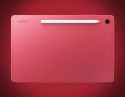
I wish Samsung's Lite and FE tablets had HDMI output... crazy how it's a "premium" feature only the flagship models have.
>>
>>
File: Ariel olivetti billiken.jpg (427.3 KB)

427.3 KB JPG
What tablet does he use?
>>
>>
>>
>>
>>
>>
>>
>>
>>
>>
>>
>>
>>
>>7864031
I just really enjoy drawing/painting outside and from life. I want a tablet that's slightly bigger (or at least a little wider) than A4, I don't care if it's more cumbersone to carry around. What are the good options in current year?
>>
>wacom intuos croaks after about 6-7 years
>buy new display tablet, xp pen artist 16 gen 2
>the thing just refuses to link to the display, only did it twice (meaning it can do it given the driver and setup)
>tried to check answers on orange alien pleb site, nothing worked
>can't just be faulty cables/ports cause the rare times it worked it remained stable and perfectly useful
what the fuck is it then? maybe i really shouldn't have feel for chinkshit?
>>
>>
>>
>>7876469
i have that same exact tablet and never had a display issue, but once my pen stopped working and that was because it was plugged into the old usb port (don't use usb 2.0)
offtopic: why do i still need to enter captcha after verifying my email?
>>
>>7877056
If by goypad you mean ipad, it's alright. Don't fall for the marketing about it being an insane device though. It's good but nothing that doesnt exist on the market elsewhere.
Procreate is really comfy and i find the pencil nice, but you will get skinned alive on accessories unless you manage to find sales on those. Also, why do you want the pro model in particular?
>>
How do I get my ipad pro to stop randomly changing the brightness? I have true tone and night shift disabled but it still randomly dims the screen. I also just lowered the brightness manually and literally watched the bar move itself back up in the settings app.
>>
>>
>>7878081
oh my god thank you anon i use an ipad mini as a left handed person, the camera is placed in a portrait manner as opposed to landscape and presumably brightness sensors being in/near the camera combined with being left handed fucked my shit up until today. i think ipad front cameras being in a landscape orientation is a recent development so if you are left handed like me and your hand covers your camera/left side additional psa
>>
>>7878352
ok for ipad mini 6/7 the sensor is apparently at the top left landscape and top right portrait, criteria being your apple pencil has to be attached at the top (landscape) or right(portrait), visible by a flashlight
>>
>take case off ipad
>suddenly way more comfortable to draw on
It's so much lighter and now there's no annoying ridge around the screen. Might keep it like this and reserve the case for when I take it out of the house.
>>
>>
>>
>>
Question to anyone that has used both a screenless and a screen tablet:
is there any difference in feel? I have a xp pen artist pro 13.3, I've been using it for some time now but it very obviously lacks a feeling at least compared to actually drawing using charcoal or pastel (tilt is also broken and pressure seems unreliable, no matter how much I tweak the curves). Is this better with a screenless tablet? Feel is quite important to me.
>>
>>
not planning to buy anything but I ended up on the wacom website today, and they now sell a 14inch screen tablet for $300?
god damn kids these days have it good, when I started we had one size of cintiq for $2k and that was it
>>
still can't draw properly with my intuos pro medium... I always end up drawing with my wrist so it's taxing to constantly remind myself to draw with the shoulder
debating if I should try harder to git gud with it or just buy a pen display. I could buy a Kamvas Pro 24 (4K model) at 1000€ or Xp-Pen Artist Pro 22 2nd Gen at 720€.I have the money for the Cintiq 2025 24" (the one at 1400€ without touch) but not sure if it's worth it to get this at double the price of the artist pro 22.
Anyone that has any of these pen displays?
>>
>>7864034
Just spent 135 bux on a used kamvas pro 13 because I was in a shit mood. The cursor thing is the worst problem; at least my shitty old XP-Pen did what I wanted it to do. But for now it's worth it to actually draw instead of wasting more time looking for the prefect tablet. It'll make me appreciate better quality stuff later on :-/
>>
The 4-6 inch tablets are useless, aren't they?
I only have $30 but all the 10" tablets here cost $50 and upwards.
I did measurements on a piece of paper and the 4" and 6" working area sizes seem too small for drawing, especially if I'm going to draw a lot and maybe draw professionally.
What do you guys think?
>>
File: soejima carpal tunnel.mp4 (1.3 MB)

1.3 MB MP4
>>7880491
do NOT get a small tablet man trust me it's worth saving up, it just makes it so much more comfortable. small is just too small and you're going to mainly be drawing with your wrist which will cause problems with stamina/arthritis. you can still draw good shit but you will basically be forced into drawing japanese style with tons of small short strokes
>>
>>
>>
Anyone else here switch from a screen tablet back to screenless? Recently bought a used intuos pro for ergonomic reasons (and sick of having my kamvas eat up half of my desk) and boy is it rough. Guess the only way to improve is "just draw".
>>
>>
>>7880491
>buy small tablet
>draw uncomfortably in there for hours
>art ended up to be bad
>bad looking art ruined mood to draw and improve your skill in drawing
>abandon drawing
>lost $30-50 on top of that
Dont do that. Save more to get atleast 13 inch tablet because its the same size of a4 paper and you can draw comfortably in there
>>
>>
>>
>>
>>
File: cg1jG6i7O2V8cP4PyxVN.png (1.1 MB)

1.1 MB PNG
Retarded anon here when it comes to display graphic tablets and needs help
I'm thinking about buying this one and I don't have big idea about it
So please help me (your experience if you had one) and if there's better options tell me
Thank you
>>
>>
>>
>>
>>
>>
i've been running pth-660 with titanium nib more than 2 years and not feeling for anything more than this for now
>>7868773
i got one for less than 10 bucks which has 1 knob, 3 buttons with configurable firmware and never looked back; i only use knob for brush size, probably single knob would've worked just as well for me
>>7869871
aliexpress got shittons of it
>>
>>7883464
Sorry for the late reply, I forgot I had posted in this thread.
My only other experiences with tablets have been screenless Huions and Wacoms, as well as my current iPad pro. I haven't used samsung tablets, so I cannot say if its as good or not. My main gripe with the one 13 is the awkward size of the active area (its really wide but not that tall). Past that, it is pretty limited in terms of angles due to having a pair of kickstands but no real mounting arm support. You can probably remedy this with aftermarket solutions, but then you're paying even more. If I were to compare it to my ipad, which is not really a fair comparison considering they're completely different devices and with wildly different budget ranges, it's awful. I'd much rather just draw on a screenless again over it desu.
BUT if you're really desperate for a screen display and you dont mind the things I just mentioned, 80 dollars is NOT a bad deal for it considering it retails for hundreds more.
>>
>>
File: 1621563556692.png (69.1 KB)

69.1 KB PNG
Are XP Pen tablets REALLY that bad? I bought a DECO01 5 years ago and only now I am thinking of replacing it because I fucked up the connection due to bad care, but the tablet itself works just fine and its very comfortable for me.
>>
>>
>>
>>
>>7884148
I think it depends. If you dislike a slippery surface, they're not bad. Read reviews for the ones you're looking at to see if they affect image quality / damage nibs.
My only experience is using the newer paperlikes on an ipad, and I like them. But apparently in the past they caused nib wear so ymmv.
>>
>>
>>7884121
I havent heard many bad things about any of the big tablet brands outside of Huion.
A few of my friends use XP Pen tablets and they haven't complained about em for years, so I don't think they're bad. If you like em, use em.
>>
>>
Can you guys answer me this question.
I have this Intuos Pro I got from my sister, pretty much the only tablet I ever touched. I installed new brushes that are supposed to rotate (in Photoshop).
But how does it work with the pen cause the only way I managed to make the brushes rotate is by tilting/flattening the pen against the tablet. And it's not very intuitive, the rotation feels off and I have to try the same stroke several times to reach the goal.
Is this the normal behavior?
>>
>>
>>
>>
>>
>>
>>
>>
>>
>>
>>7884121
I bought a Deco 01 V2 a while ago and it served me fine. It's got its downsides compared to the Wacom tablets I have, but it also got the job done for whenever I needed to use a tablet.
I'd figure it's about what you need from a tablet, what your price range is, and how well you adapt to the physical layout of your tablet.
>>
File: 20251125_155752.jpg (98 KB)

98 KB JPG
Ive been looking for display tablets with specifically etched glass screens for that rough paper feel for sketching, so far the only affordable one I managed to spot is the Cintiq 16 from last year, everything else with etched glass from Wacom cost retarded money and I dont have any hedge fund managers in my family
Any other options from different brands I should know of?
>>
>>
>>
>>
>>7889822
krita is good but you could also just buy the cheap version of clip studio paint for 15 bucks and save headaches, also you will run into random mildly annoying issues with krita maybe because it's FOSS
>gimp
absolutely not
>>
>>
>>7890220
If you're open-source minded, not a whole lot, besides Krita. If not, then check out the Affinity suite. It's closer to Photoshop in feel, but it's pretty decent. The brush engine for drawing, though, is not the most advanced, but it's serviceable.
>>

Sup, ive an intuos3 a4, i need something bigger for my 4k monitor. Is there any benefit to buy a newer model? Intuos 4 or 5?
There much less to choose from right now on the second hand market than it used to. SO im not sure if i should go for a newer model or just choose any model thats in a good condition.
>>
I use a lenovo m11, bought it for note making and studying but it up drawing , u can use it as drawing tab with ur pc or laptop with virtual tablet lite app , u have to setup using reddit or yt, always use usb feature to connect , wifi connection isnt worthit , overall I can say it's the best of beginners
>>
>>
I’ve been having trouble with how vivid my cintiq is.
I’m told the colour is the most accurate, but on other screens and in print the art always ends up looking so much worse. I really don’t know how to change my workflow knowing this.
>>
>>
>>
>>
>>7884121
Uh, no idea if the screenless ones are bad but I bought a 24 artist pro (the 165hz one) in 2025 and it works nicely. Although it might have some kind of built in stabilizer for some reason. I can't get rid of it so I have to disable any kind of stabilizers inside the drawing software.
>>
>>
File: ezgif-344de9e703a5df9e.mp4 (306 KB)

306 KB MP4
Have you ever ran into this issue? My pen is constantly not registering ink even though it is continuing to track my movements. I've replaced the nib with a new one and it still gives me this error. This is super annoying and it is making me regret not just getting a display tablet. I'm using a M4 Mac Mini with an Intous Pro M and I'm running Tahoe 26.3 with my Wacom driver on version 6.4.12-3.
>>
>>7883747
I have it and really like it. Only problem is it uses one port for data, power, and video, so it requires a thunderbolt/usb4 port to connect. Otherwise you have to buy their adapter which is like $100. If you've got a thunderbolt port on your computer its perfect.
>>
File: file.png (14.6 KB)
14.6 KB PNG
>want to buy my first tablet
>decide to go for screen tablets from XP Pen because they're affordable compared to Wacom which are like as much as a fucking used car in good conditions
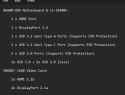
>all XP Pen tablets require 3-in-1 cable because I suspect my computer doesn't have any support for it (pic)
>have to buy it from XP Pen itself or buy it locally at like three or four times its original price
good lord this is so fucking annoying
>>
>>
File: pennn.jpg (282.5 KB)

282.5 KB JPG
Is this fixable, or am I fucked? Out of nowhere, this pen started bending like this. It still works, but I'm afraid to use it, and my tablet (Huion GT 190) was made in 2016 so I can't get that replacement pen that works with the 2017+ models. I have an XP Pen somewhere I can use, but I'd rather not since this one is bigger and comfier, and I can use it as a second monitor. I've scoured several shopping sites and couldn't find a replacement.
I feel like I can just put glue in that crevice and it'll be fine, but I also feel like doing that might be a bad idea somehow.
The charge has also gone down from several hours to about 8 minutes lately, which has been very annoying.
>>
>>
File: 10297512095.jpg (77.1 KB)

77.1 KB JPG
>>7864031
RETVRN
>>
>>
>>
>>
>>
>>
>>
>>
File: 1768938682274412.gif (1.6 MB)

1.6 MB GIF
Any good portable digital tablets?
I seen Wacom MovinkPad Pro 14 but 900 dollary doos is a steep price
>>

>>
>>
i got a 2025 cintiq 16 a few months ago and its pretty awesome. but honestly everything besides the tablet sucks, the pro pen 3 is dogshit and cramps my hand like crazy, no mini hdmi included, no stand, the pen holder sucks... etc etc. but the device itself is amazing atleast
>>
>>
just got the new kamvas 22 gen 3 after drawing for 8 years mostly on ipad pro and intuos pro 2017. It's pretty much the new best thing if you want a big pen display for less than 700$
first time trying huion's new pen and it's excellent, still not as good as wacom's pro pen 2 but it's on par with their pro pen 3, they've really come a long way. The IPS pannel is decent and sharp, no issue on my unit. I really don't see why you would spend double the money to get the 2025 cintiq 24 if you don't care about touch.
>>
Just ordered a Huion 1060p, I just want to mess around so I didn't think too much about. Decided to checkout the 4chan art board as an afterthought.
>Used Intuos 3, 4, 5, Pro, One by Wacom
Is a 20 year old wacom really better?
>>

>>
File: 1755480901462639.png (10.2 KB)

10.2 KB PNG
>>7899081
>>
>>
>>
>>7899214
>>7899335
Figured after reading the thread. I like the novelty of old tech and being thrifty so I would've more regretted not going with the stuff I saw on ebay if there was technical benefit.
Saw a lot of neat stuff like wacom tablets met for esignatures, tempting because they retail for a grand, but resell at around $100. Touch sensitivity probably isn't great, but I'm not looking to do anything advanced anyway. Similar story for other used screen tablets.
Wanted screenless anyway so I thought given how long these things have been around anything recent would be good enough and it's not worth it to be prudent.
I bet the feel, peccadilloes, and restrictions of older tablets could manifest different creative avenues/intention.
>>
>>
>open slate pro
This shit looks pretty good. Should I get one for drawfagging and general tablet/laptop use? I want to do 3d sculpting as well as regular drawing.
The only other tablet I'm looking at is an ipad pro, and although the hardware is more powerful, the software is much more limiting. It's also much more expensive, though again the screen and everything is better.
>>
>>
>>
>>
>>
>>7864031
have had a huion inspiroy h1060p for 2 years now and it's alright. still works.
mostly do hobby modelling 3d in blender and drawing/painting in csp in my past time.
win11, 1440p monitor.
not much to complain about, i just plug it in and it kinda just works. guess the software is fine too.
felt like getting myself a gift and bought myself a wacom 2025 intuos pro large last xmas. was 550 euros.
wacom does feel fancier, fancy knobs n stuff, huion' s feel cheap and huion was cheap. onlly paid 70 euros for it., not like i use them, still use keyboard even tho im a lefty. slightly bigger, battery doesnt matter since its always plugged in, responsiveness and latency feels kinda the same, maybe wacom is better, but i really cant tell. nothing magical has happened yet. dont really feel like i wasted my money on either tabs.
tried the tests in >>7864033 and both kinda perform the same. maybe they dont work for screenless tabbies.
idk. my guess is start cheap and if it works out and if it sticks for a while you can look for something better.
idk. it's your money. spend it however you want.
>>
>>
>>
>>
>>7866717
Did these stop working throughout the years, or you just like trying out different tablets?
Also what did you think about the XP-Pen? I'm considering getting their Artist Pro 22, i've only had an UGEE 2150 before.
>>
>>
File: 61Rt1RXGH7L.jpg (102.5 KB)

102.5 KB JPG
What "remotes" do you use on your non-drawing hand, for those with them? I got the 8bitdo micro gamepad which is pretty nice for convenience. I heard some artists swear by the Tour Box but that just looks way too expensive for what it does.
>>
>>
>>
File: 5495.jpg (348.1 KB)

348.1 KB JPG
>>7900977
I'm debating getting a flight stick but trying to find out how customizable different ones are in joy2key is a pain. The ergonomics seem like they would be perfect for one handed operation. If I do get one I'll report back here with results. I've tried regular controllers but they just don't feel right to use one handed.
>>
>>
>>7899335
Despite how many accuse OP of being a wacom shill this >>7864034 is hard to disprove.
Chinese tablets (like all chinese products) have serious quality issues, and an universal praise seasoned artists give wacom is that the quality IS GOOD.
Is wacom overpriced? Yeah, but you are paying for quality.
>>
>>
>>
>>
>>7901893
>The fact that those screenshots use relative time instead of having proper timestamps feels really dishonest to me.
That's mostly a reddit issue.
It doesn't really matter in my opinion, the multiple screenshots showing multiple types of errors is far more important.
>Who's to say those companies haven't improve their products since then?
I went to the subreddit OP got those comments from, the first page has 5 people with issues (overheating, bad screens, color calibration issues).
Seems like the quality remains the same.
As much as i want another brand to be as good as wacom in terms of quality, that doesn't seem to be the case.
>>
>>
File: 1754219056928310.jpg (60.6 KB)

60.6 KB JPG
>>7901870
>this >>7864034 is hard to disprove.
The only thing hard to disprove about that is the objective fact that you're 100% better off asking reddit about tablet questions, especially after everyone on /ic/ has sort of over the years accepted that answering a question in /dtg/, chink or wacum, is worthless because there's a 90% chance it's not a real question and just a generic bump, copypasted post from the archives or a throwaway shitpost.
Why bother when you can just make a post on reddit, and search through the post history of the person making it to see if they actually draw or not? Or even if they even own the damned thing?
>>
>>
>>
>>
>>
>>7902520
make a fit "sketchbook pro" holder with cardboard, so you can actually glide the arm from the shoulder while drawing. i made one for my 11" and it add less than 100 gr (i can easily use it standing) , it made drawing, similar to good old sheet of paper on a desk.
>>
>>
>>
>>
>>7902939
for 600$ you'd be a retard not to buy it
the only thing I'll say is 7kg is really fuckin bulky, you're probably going to want to get a mountaing arm for this thing to make it comfortable in any way for your workstation but yes purely spec wise, the tablet is still pretty much state of the art, even has the etched glass for screen surface which is very underrated and feels real nice
>>
>>
File: VID_20260315_211958339.webm (2.8 MB)

2.8 MB WEBM
>>7875779
I forgot to send the video
xp pen r cheeks, idk if they changed it in the newer models but i have doubts
>>
File: PXL_20260323_112749196.jpg (1.5 MB)

1.5 MB JPG
>>7902556
i measured it, weights 150 grams and as you can see it's getting old. i made it with cardboard from a shoe box, and student glue in a day.
>>
>>
>>7901888
I think I must be either very lucky or doing something right, because in my lifetime of poopsocking this and keyboard/mouse vidya, I don't recall ever getting any serious wrist pain. (my back, on the other hand...)
I've been trying to train my arm regardless, because I know it's supposed to be the more natural and "correct" way of drawing, but it's an endless cycle of use arm > get frustrated that I can't get a single decent line without like 100 stabilizer > go back to wrist so I can get on with the goddamn drawing > rinse and repeat
>>
>>
what display tablet should i get and what stand should i get? i don't have that much room on my desk and i don't want to be looking directly down at the tablet. i would love an easel like stand but i dont know if those exist for ipad or display tablets
>>
>>7864031
>Cintiq 13-16"
>Completely outclassed by the Galaxy Tab Ultra & iPad
the sticky is so painfully ill informed. the two types are very different.
those options lock you into a mobile OS ecosystem. if you work at your desk with your pc it's inconvenient in so many ways, and you cannot use them with any software on your PC because your only option is screen mirroring (there are workarounds, but none of them are without issues).
the cintiq 16 2025 is a great option, i prefer it over my ipad pro. movink 13 is also good if you want the same size as the ipad, but OLED will inevitably burn in over time. these options let you use whatever software you have on your pc without needing to buy seperate mobile plans (and that's if the software even exists on mobile, and any software that are available are often feature limited compared to desktop versions - and very cramped to work in!), they feel better to draw on, and you can turn the display off and use them like a normal pen tablet.
the ios/android options are especially bad if you ever dabble into 3D as there are no software options that are as feature rich as what you'll find on desktop. yeah there's zbrush, but it's severely limited. and they don't even have pureref!
and then there's the annoying extra step of having to use a cloud service to transfer files between computer and mobile device. all of these things just disrupt your workflow. the only positive thing about using ios/android tablets is the portability, which is maybe great if all you're doing is light sketching, but not so much for any serious work.
>>7904831
ZUGU is a good option for the ipad.
>>
>the cintiq 16 2025 is a great option
yeah it is, but if you have the space and want to work with something i'd recommend picking the kamvas 22 gen 3 which is cheaper. The new pen is as good as wacom's pro pen 3.
I have an iPad as well and even though I prefer my pen display I still use it to sketch and paint since I love procreate. It's 8 years old though ( (2018 12.9 Pro model) so it doesn't hold a charge very well as expected. Still I'm impressed by the longevity of this thing even though iPadOS 26 is garbage.
>>
File: 1753365282753244.png (337.3 KB)

337.3 KB PNG
What tablet has a smooth and quiet surface friction against the pen? I don't give a fuck about tablets that are supposed to feel/sound like I'm drawing on real paper, it's loud and annoying.
>>
>>
>>
>>7904831
if it's your first display get the new cintiq 16 from 2025, the drawing experience is unmatched for a display tablet even for wacom, and the surface has a nice bit of friction, 16 inches is also for me the sweet spot between portability and workspace
>>
File: wacomone-14-gsp-m-mo.jpg (308.1 KB)

308.1 KB JPG
>>7864031
Whats the best screen tablet that I can buy with 600 usd or less?
>not used
>touch screen is not a requirement
>>
i have 16 huion GT156 from 2020 it still work
i dont think it worth changing unless i pick something high end on
i have a xiaomi pad 7 and i can get hand on a Samugnd 7(oe 8) FE for really cheap
i was thinking of using those when i chilling on my bed or i want to use other position to draw
>>
>>
Always worked on a 13 inch screen tablet my whole life due to moving around a lot, but finally feel like it's time to upgrade to a bigger size.
What screen size should I am for? Saw reviews for the Wacom 24 inch Cintiq Touch/No Touch doesnt really matter to me, but I also saw there's the newer Wacom Cintiq Pro 22 Inch with those extra buttons. Anyone use the newer models and recommend them? Or should I find a used 24 inch Cintiq?
Currently using a Wacom Mobilestudio 13 inch, so I have the Pro Pen 2 stuff. What I'm really torn about is the new pen thing that the newer Cintiq Pro's have, is it a big difference?
>>
>>
File: cintiq pro 27.png (337.7 KB)

337.7 KB PNG
When does this shit go on sale?
>>
>>
>>7907858
>600 usd or less?
at that price range any screen tablet you can get will almost certaintly have some major drawbacks, be it
>shit build quality made to break down in 5 years
>piss poor EMR standard
>sub 95% color accuracy
>shit resolution
just get the recent cintiq 16, it's like 200 bucks more expensive, idk why you would willingly sabotage your potential over like a week's worth of wage
>>
>>7864031
>Screenless:
Used Intuos 3, 4, 5, Pro, One by Wacom
Absolute newfag here. Is the Intuos Draw okay? I’m eyeing a used one for $10, and there are two more used ones without a stylus for $2 each.
I’m currently using a very old iPad with a cheap stylus for drawing.
>>
>>
>>
Would a chinkslop display tablet be a good idea to use as a place holder until I could afford an actual good one (until I decide whether or not I really want one)? I'm a tradfag so don't really know my way around digital (tried a screenless tablet YEARS ago but couldn't wrap my head around drawing at point A only for it to show up at point B, the latency, and the small size feeling cramped/promoting bad habits) and these display tablets seem like they would feel more intuitive... only a $3400 pricetag seems like A LOT for something I don't really know how to do. That and I don't even have a proper PC these days which kinda seems required for these.
>>
>>
>>7905579
>there's the annoying extra step of having to use a cloud service to transfer files between computer and mobile device
resilio sync/any usb-c flash drive/any usb-c cable for android devices
>they don't even have pureref
vizref/droidref/refcanvas
>which is maybe great if all you're doing is light sketching, but not so much for any serious work
skill issue
I do agree if you mostly draw at home there's no reason to buy a portable tablet, but don't discount them just because you don't know how to use em
>>

>>
>>
>>
File: G_ZGtmxbAAIiQ0K.jpg (768.1 KB)

768.1 KB JPG
If you ever find yourself wanting a bigger, more expensive tablet to help yourself "improve", remember that this guy uses a Wacom Bamboo Fun.
https://x.com/HepariArt/media
>>
>>
>>
File: G82hY5QbQAAHPyz.jpg (372.4 KB)

372.4 KB JPG
>>7912475
I understand the sentiment but this guy draws with his finger on his phone
>>
>>
I'm trying to setup my movincpad 11 to act like a pen tablet for my pc with apollo/artemis but i'm unable to get pen pressure working, anyone done this and know why? It apparently should have pen pressure support but can't get it to work.
>>
File: 1761352197618259.jpg (238.4 KB)

238.4 KB JPG
>>7864031
Intuos 4 med for $20 in working condition, no box no mouse
As a poor newfag, should I?
>>
>>
File: image_2026-04-07_211239245.png (542.8 KB)

542.8 KB PNG
Is this cintiq worth buying for 270 usd?
>Used: like new
>Lacks most accesories
what's a better alternative?
>>
File: image_2026-04-07_211410282.png (213.1 KB)

213.1 KB PNG
>>7913636
>>
File: Tablet-graficzny-WACOM-One-14-Pen-Display.jpg (45.6 KB)

45.6 KB JPG
Is WACOM One 14 Pen Display good for a first display tablet?
>>
>>
>>
>>7864031
I'm a certified consumer. I own the following:
Ipad Pro 2016, 12"
Ipad Pro 2025 13"
Intuos Pro Medium (2017) 32" Dell Monitor
Intuos Pro Large (2017) 32" Dell Monitor
Cintiq Pro 17" (Just bought)
Kamvas Pro 22" (2023)
Kamvas Pro 16" (2021)
GAOMON 15.9" (2018)
I want to like the screens so bad because I've spent like 5k on them all together, but nothing beats the intuos input. In a horrible twist of fate, the GAOMON has been my faovrite. All the Huions are mid as fuck and XP feels like it's made out of paper. Didn't bother listing those.
>>
>>
File: image-47.png (1.9 MB)

1.9 MB PNG
>>7914579
Perfect form factor for me. The iPad is perfect but the pen technology is shit. Slow diagonal lines are wobbly. I honestly prefer and do traditional watercolors and pencil mostly, and the 13-17" display range feels good. I tried a 24 cintiq pro in 2021 but it's just too cumbersome. You would think intuitively that it would be more like getting lost in a page, but there's this big retarded thing sitting on my desk.
>>
>>
>>
>>7914866
It was my first screen tablet. It felt very much like a tablet because the screen had so much parallax and so it wasnt trying replicate a traditional feel.
I live in a state where guns are restricted, and if you want an AR style rifle, it needs to be heavily modified and fed from the top into a fixed mag, it's really gay and you look like a fag if get one. Alternatively, a stock SKS with the wooden butt (not a bubba'd polymer one) is completely legal as is. That's how I look at it, if that makes sense. It wasnt trying to anything other than a dirt cheap Chinese screen tablet.
>>
File: 1656386843989.jpg (1.6 MB)

1.6 MB JPG
I have a Cintiq 16, but the laptop I use it with is dying. Since I only use the laptop for drawing and watching movies does anyone know of a replacement laptop that would work well with my Cintiq? What specs should I look for? I really don't want to get a Windows 11 laptop but I can't see anything else for sale in mainstream stores. I use (pirated) clip studio paint for drawing so I'm not sure if that would work on Linux.
>>
>>
>>
>>
>>
File: Illustration2.png (370.3 KB)

370.3 KB PNG
Does anyone know what causes these circles to appear whenever I try to make a stroke with pressure-based opacity or brush density in a larger brush size? I can't find anything online because I'm not really sure how to describe it. I'm using a Wacom Cintiq and this happens in multiple different software.
>>
>>
>>7915556
I used to think I was just as good with displayless because "I've used them for years" so when my wacom one display wasn't working I thought it wasn't a big deal and I kept using it as displayless. Turned out it was just plugged into the integrated gpu and when I switched it to the main gpu and it started working, I was like holy shit. It was night and day difference.
I had just never tried them back to back like that. I'll never say non-display is good or worth using ever again.
>>
>>
>>7915754
Because while moving the pen, several stamps are made depening on the spacing.
If you don't reach the max opacity, then you are gonna see the steps.
Paint Tool SAI looks like it doesn't have stamps because every time a new stamp is created, the previous stamp is blurred in order to make it look unified (you can notice that if you zoom in an draw the stroke slowly).
>>
File: 1770989668677623.jpg (54.6 KB)

54.6 KB JPG
Anyone have the wacom one pen? Is the button only supposed to press one way (towards the butt of the pen) or is mine broken? The length makes me feel like it should press both ways.
>>
File: Screenshot_20260415_175746_Chrome.jpg (278.3 KB)

278.3 KB JPG
>>7864031
Oops
So my kanvas 13 gan 3 was not a good choice for a beginner tablet to make TADC fanart and pon with?
>>
>>
>>
>>
File: IMG_1765.jpg (2.9 MB)

2.9 MB JPG
>>7864031
I bought the Cintiq 16 last week and had to return it because the mini HDMI cable got stuck inside the port and broke inside of it while tugging it out. Now I'm trying to cope with my iPad since I already have it and the display seems nicer anyway, I'll put up with the small space.
For anyone who uses the iPad extensively for drawing, has your screen degraded or yellowed out? Have seen a bunch of jap artists and youtubers showing their screens with very obviously yellowed borders and I'm seeing nobody talk about this. I don't think these are built for long drawing sessions at all but maybe I'm just noided. Don't know if I should repurchase the Cintiq or abuse the shit out of the iPad and replace it every two years or something
>>

>>
>could use a laptop for when I'm travelling
>Also want a movinkpad pro because i want a display tablet
>Movinkpad is also a computing device but tablets are shittier than computers
>It also comes with csp for a limited time
>Will maybe use pad to draw on computer sometimes but csp has device limits and tablet is subscription while pc is one time purchase
Decisions decisions...