>"What is /dbag/?" A place where you can request or fulfill requests for brushes and other digital drawing assets regardless of the program.
>Publicly editable rentry for CSP assets. https://rentry.org/dbag Feel free to contribute brushes you have purchased. Assets that have been deleted from the store are also welcome to be uploaded here.
>"How do I request brushes?" 1.) Please check the CSP rentry and encoded external rentry first before requesting them in the thread. 2.) If they aren't there, then you should ask the thread. 3.) Post a link of the brushes you're requesting. It will make it faster for the anons interested in purchasing them for the thread.
>"What brush does this artist use?" / "What brush looks like this?" 1.) Search "brush (from:artisthandle)" or "assets.clip-studio.com (from:artisthandle)" on twitter if that's where they post mainly. Make sure to set it to the Latest tab to see the artist's tweets. Or use Nitter. 2.) Search brush posts on their Pixiv Fanboxes/Booth/Patreon. Then try to see if it's on kemono or archives. 3.) If none of the searches work, then ask here.
>"My CSP is cracked so I can't use the asset store" As long as you log into the asset store it works even on cracked copies.
>"Are there other brush sets aside from the CSP ones?" / "Has this brush set been uploaded before?" Check the archive. Chances are if it's popular some anon has already uploaded it.
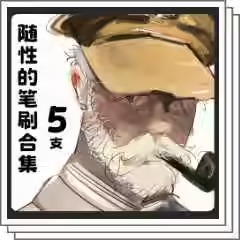
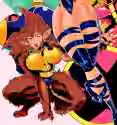
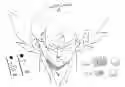
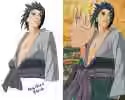
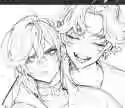
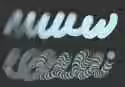
>"What brush is in the OP picture?" Brush in the OP pic is in the deleted CSP assets page in the rentry. (ID:2262717)
Brothers I just want my hentai to look more hentai-like, but I'm using photoshop Is there a way to replicate those pattern halftone brushes that hentai masters use?
reposting from last thread: does anyone know what brush is used here for lining? i thought it might just be a hard round with pressure for size and opacity, but it feels like their lines avoid too much gradation if passed over already drawn lines there are some time lapses in this thread here if that helps but it's kinda tricky to tell from the quality >>7908331
Is there a CSP equivalent of Photoshop's dodge tool somewhere? If not, is it possible to mimick it using layer modes, masks, auto actions and whateverthefuck?
In a nutshell: the dodge tool is a tool that brightens a part of an image just like the dodge layer blending mode. But it does so while excluding a part of the greyscale spectrum. For example, if you set your dodge tool to highlights, it'll only target the lighter parts of the image while ignoring the shadows and midtones.
does anyone have an archive of cli_pose's poses? they're free for a short period and go up to 100 gold after. https://assets.clip-studio.com/en-us/search?user=cli_pose&order=new
What are other sources to get 3D backdrop like this, please? They also have some limited-time free assets up rn https://assets.clip-studio.com/en-us/search?user=%E3%81%86%E3%81%95%E3%81%93usako
>>7931229 I really like this, if you can find smth like a good copic marker palette with lots of colors, it really feels like the real deal imo (it's also somewhere in the rentry for free) https://www.truegrittexturesupply.com/products/kolormarc-markers-for-procreate-photoshop-affinity-clipstudio
Stupid question but idk where else to ask. I own CSP desktop legally but don't want to bother with the mobile version's subscription service, is there a crack of CSP mobile that can connect to my account just fine?
did someone ever get these? i remember someone requesting these on a /dbag/ thread long ago but didnt follow enough to see if someone actually bought them and shared here https://unicdesign.net/products/stamp-ink-pen-brushes I hate doing lineart, it takes too much time and I lean more to a sketchy style a lot so these could really help for me.
>>7933643 These aren't brushes anon, they are "Stamps" that will just display those exact lines when you input a click and repeat in an ugly way if you try to use them as normal pen brushes. Just get Kyle's Megapack and use the Pen/Ink brushes from those
>>7934694 Either I forgot to upload the file into the terabox backup, or I forgot to download the whole thing and is lost. I'm away from home and my computer, so It'll have to wait until a few days when I'm back, or someone else will have to reup the file. Sorry ><
making something for you all. hope this will help. Giving back to the community. Thank you for sharing Brushes here, helped me explore them and build my own. this is gonna be a 16 page guide about Brushes, and How to make your own brushes.
>>7935734 Default gouache brush or any soft brush with color mixing on. Change amount of paint and color stretch to taste and remove texture if needed.
Heads up for anyone using pxplus/buying KR assets there:
looks like pxplus is shutting down on 2026/06/30 according to their EOS notice
>05/14 18:00 - new user registration ends - new purchases disabled - cash recharge and usage disabled - reward points can't be used anymore - existing downloads still available until 06/30 18:00
>06/30 18:00 - full service shutdown - no access to downloads, purchase history or product pages - remaining cash and reward points removed - customer support closed - all uploaded products deleted
after 05/14 you basically can't buy or spend anything anymore after 06/30 the service is completely gone
>>7938823 Not a bad idea. Messing with the binarize settings and I like the effects. Can't quiet the linework to look like the image, but it's a good direction.
Is there a way to make an actually good simple hard round brush that blends in procreate without getting this shit instead? I fucking swear every other app has good blending brushes but not procreate.